
Configuring Trips View
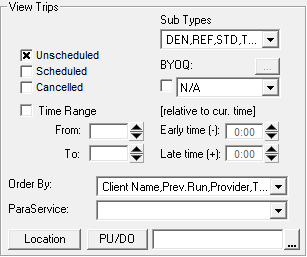
By default, Schedule Editor shows trips that are not scheduled.
Before you begin
About this task
Procedure
- Click the Options tab.
-
In the View Trips frame, select the filters to be applied.
-
Do one of the following:
- Click .
- Click the Display Trips button:

Unless a time range is specified in the Time Range field, all bookings for the day are shown in the grid.