
Modifying Schedule Load Windows
To modify a window of time that has previously been defined, you must delete it.
Before you begin
About this task
Procedure
-
Click .
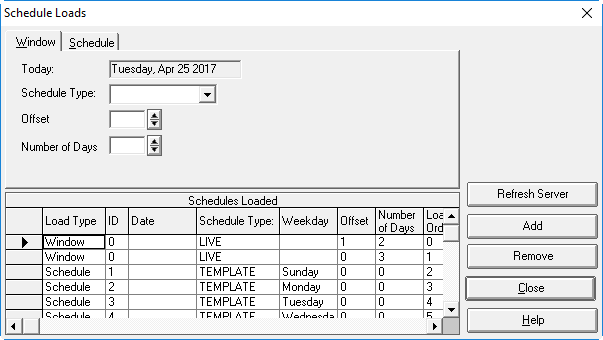
The Schedule Loads dialog box appears.
-
Click the Window tab.
The grid shows all schedules loaded into the system. The load type window shows the window set for automatic loading.
- Select the Window to delete.
-
Click Remove.
A confirmation message appears.
- Click OK.