
Defining Subscription End Dates Jobs
A Subscription End Dates job sets booking end dates.
Before you begin
About this task
Procedure
- Select a job from the grid.The scheduled job record settings are shown in the Job Schedule frame.
- Confirm the Agent Name PassScheduleAgent is defined for the job schedule.The selected agent determines the options that are available in the Job Type field.
- Click Job Data.The Job Data dialog box appears.
- Define the schedule type and date information:
- In the Job Type field, select Subscription End Dates. If no Job Types are available, confirm that an Agent Name has been selected in the Job Schedule frame of the Schedule Job Agent dialog box.
-
Click New.
The New Batch dialog box appears.
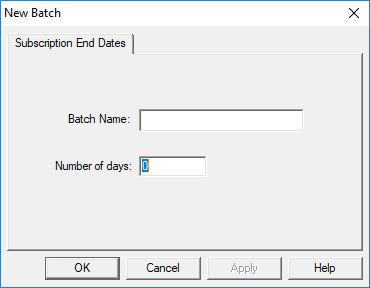
- Type the Batch Name for the job step.
-
Type the Number of days into the future to search for
subscription information.
If you type 5, the system will look for the job run date's data, as well as the data for five days into the future.
- Click OK.
-
Click OK.
The Job Data dialog box closes.
- Click Save.