
Adding New Blocks
You can add trips from an existing block into a new block.
- Select the trips you want to add to a new block.
-
Right-click on the graph. From the shortcut menu, click Create New
Block.
A message appears asking you to confirm that you want to create a new block with the selected trips.
-
Click Yes.
A new box opens which enables you to select the Line Group and Bus Type for the new block.
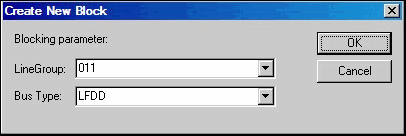
- Either type the Line Group ID in the Line Group field or select from the list. Make sure that the selected line belongs to the same division as the current context.
- From the Bus Type list, click the appropriate bus type for the new block. You can also click the field and overwrite the type that appears by default.
- Click OK.
The new block appears on a new line on the graph. See the example (green line) on top of the grid in the following graphic: