
Defining the Page Setup
The values defined on the Page Setup tab are applied when printing the bus graph.
-
Open the Setup dialog and click the Page Setup
tab.
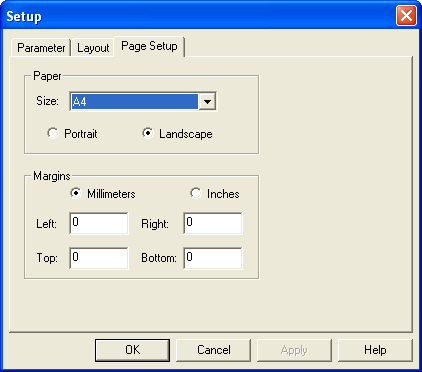
- From the Size list, select the appropriate paper size.
- Select the orientation of the printout: Portrait or Landscape.
-
In the Margins frame, perform the following steps:
- Select the unit of measure you want to apply: Millimeters or Inches.
- Type the size of the margin that you want for the four sides of the paper: Left, Right, Top, and Bottom.
- Click Apply.
- Click OK.