
Setting up Data to be Displayed
Setting up the data to be displayed is defined on the Parameters tab of the Setup dialog.
-
On the Bus Graph screen toolbar, click the Setup button:
 The Setup dialog appears with the Parameters tab open by default.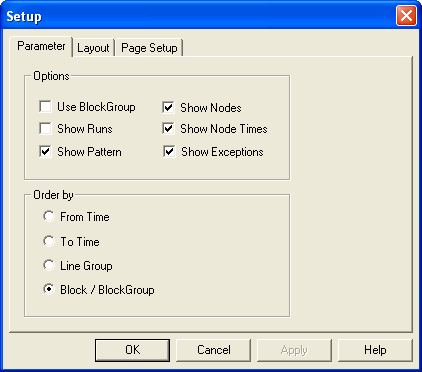
-
In the Options frame, select the check box of the data you want
shown on the graph.
The following options are selected by default: Show Pattern, Show Nodes, Show Node Times, and Show Exceptions.
- To display all the blocks assigned to a block group on the same line, link the blocks into block groups and select the Use Block Groups check box. If the check box is clear, the blocks appear on separate lines.
- To show the blocks that have assigned runs when the bus graph printout, select the Show Runs check box. This applies only when printing, the runs are not shown on screen.
- If you have your data set up to use the first three characters of the pattern as the route number, select the Show pattern check box. The pattern is displayed as the route number.
- In the Order by frame, select the option by which you want the data to be sorted: From Time, To Time, Line Group, or Block/BlockGroup. The Block/BlockGroup option is selected by default.
- Click Apply.
- Click OK.