
About Changing Stop Abbreviations
The Change Stop Abbreviations dialog box allows you to edit the abbreviations of the new stops in order to differentiate them from the original stops.
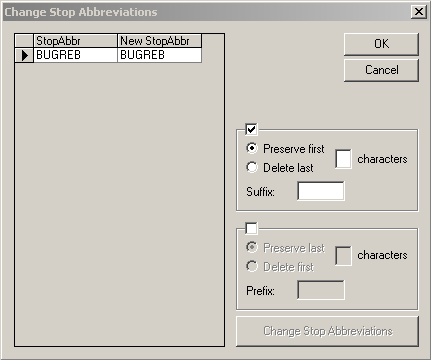
The check box above the first frame on the right side of the dialog box and the
Preserve first option are selected by default. The second frame
that has similar fields appears shaded.
- To change a stop abbreviation, edit the abbreviation directly in the NewStopAbbr column in the left pane. You can also use the options in the right pane. From the list of stops in the left pane, click the row marker of the stop whose abbreviation you want to change. The whole row of the selected stop is highlighted.
Note: The following procedures use the stop, BUGREB as an example. BUGR is the stop
abbreviation while EB is the abbreviation for the Eastbound direction.