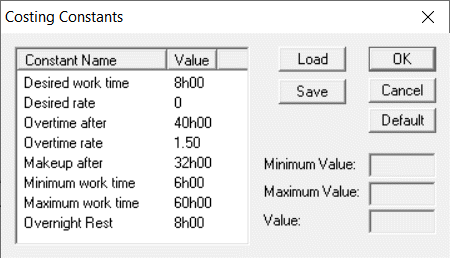
Costing constants provide you with a simple interface to change certain constant values
that are used in the costing routine for rostering. Typically, these constants are used during
the Improve process.
Your Trapeze representative set up your costing constants
specific to your transit site when FX was installed. As in Runcutting, changes made to the
costing constants are not user dependent but affect data specific to a sign-up
period.
Do one of the following steps:
Click Rostering > Costing Constants.
Click the Costing Constants button:
The Costing Constants dialog box appears.
The Costing Constants dialog box is similar to that used in
Runcutting, however, it has Load and Save
buttons which allow you to save and load the costing constants file. These files have an
roc file extension.