
Viewing Costing Statistics
The Costing dialog box shows you the costing values of a selected run. You can view costing statistics of a specific run.
The Costing function calculates the work characteristics of single runs while you are runcutting.
As explained in Costing Constants, costing values vary among transit sites and depend on their respective union agreements.
- On the Runs tab, select the run whose costing you want.
-
Click or click the Costing button:
 The Costing dialog box appears.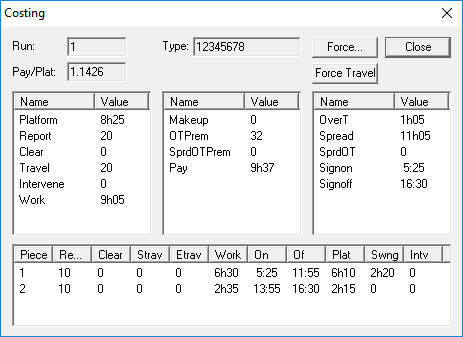
- Optional: Select another run from the Cut Pieces grid to view more costing.
- Click OK.