
Adding Permissions For Users and User Groups
You can add groups of permission keys to users or user groups.
- Do one of the following:
- Select .
Depending on your system setup, Security may be found in a different location.
- Select the Security shortcut:

The Security screen appears. - Select .
- Do one of the following:
- Navigate to .
- Navigate to .
- Select the user or user group to which you want to add permissions.
- In the right pane, select the Permissions folder.
-
Select .
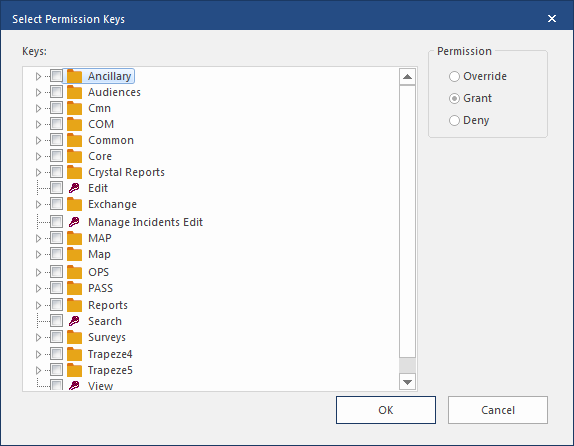
The Select Permission Keys dialog shows a list of permissions not yet assigned to the user or user group.
-
Select the permission keys you want to add.
All the permission keys will be added with the same permission level. If you need to add keys with different permissions, you will have to repeat the process for each permission level.
- Select the permission level (Deny, Grant, or Override) to assign to the selected keys.
- Select OK.