
Viewing Users Granted Permission For a Specific Key
You can view all the users who are granted permission for a specific key.
- Do one of the following:
- Select .
Depending on your system setup, Security may be found in a different location.
- Select the Security shortcut:

The Security screen appears. - Select .
- Do one of the following:
- Navigate to .
- Navigate to .
-
Select a user or user group.
The right pane shows the permission keys and levels for that user or user group.
-
Right-click the permission key to examine and select Show Granted
Users.
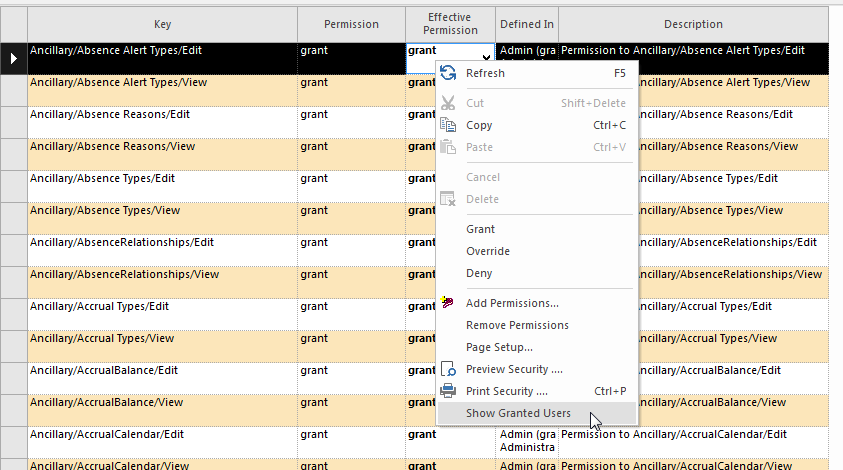 A dialog listing all the users granted permission to this key appears.
 - Optional:
To copy the list to the clipboard, select Copy.
You can paste the information into a spreadsheet or text document.