
Acknowledging Documents on Larger Screens
When needed, you can acknowledge that you have read documents shared by your transit agency.
-
Select My Account (
 ) > Employee Documents.
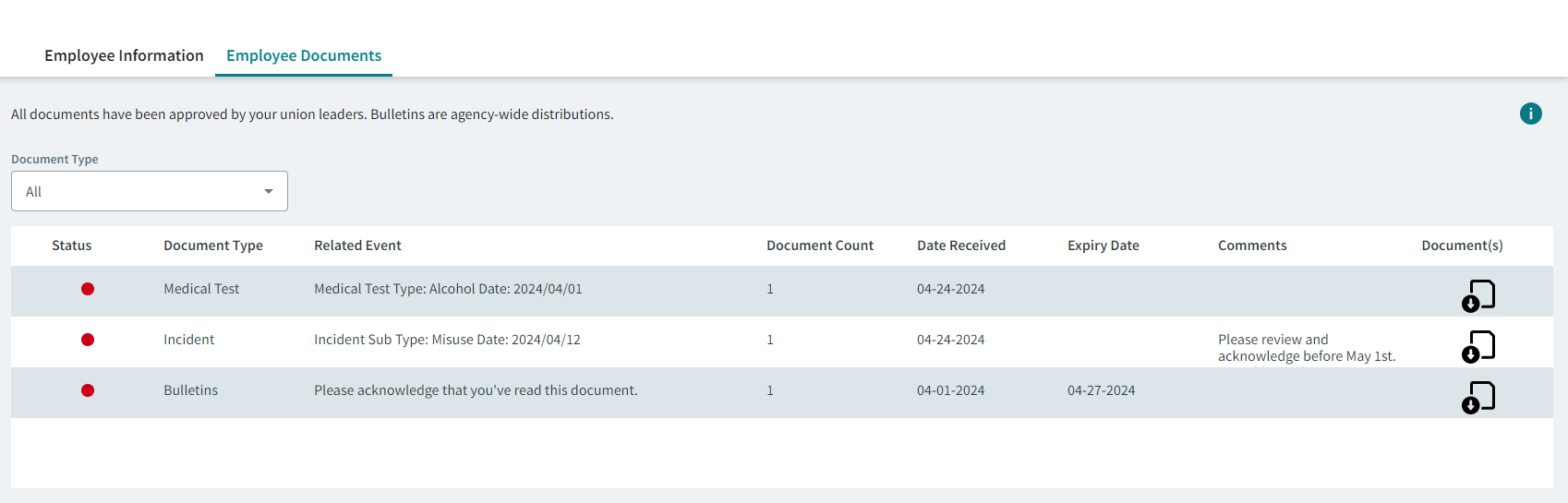
Solid red dots ( ) indicate documents that should be acknowledged. Solid green dots
(
) indicate documents that should be acknowledged. Solid green dots
( ) indicate documents that have been acknowledged.
 - Optional: Filter documents by Document Type.
-
To see document details, select Download: Documents associated with the document type group are listed. Solid red dots indicate documents that need to be acknowledged.
-
Select the document to acknowledge.
Grouped documents are acknowledged document-by-document; grouped document bulletins are acknowledged as a group.
-
Read the document.
PDF documents can be printed. Some document types have no preview and must be downloaded to be read.
-
After reading the document, select Acknowledge.
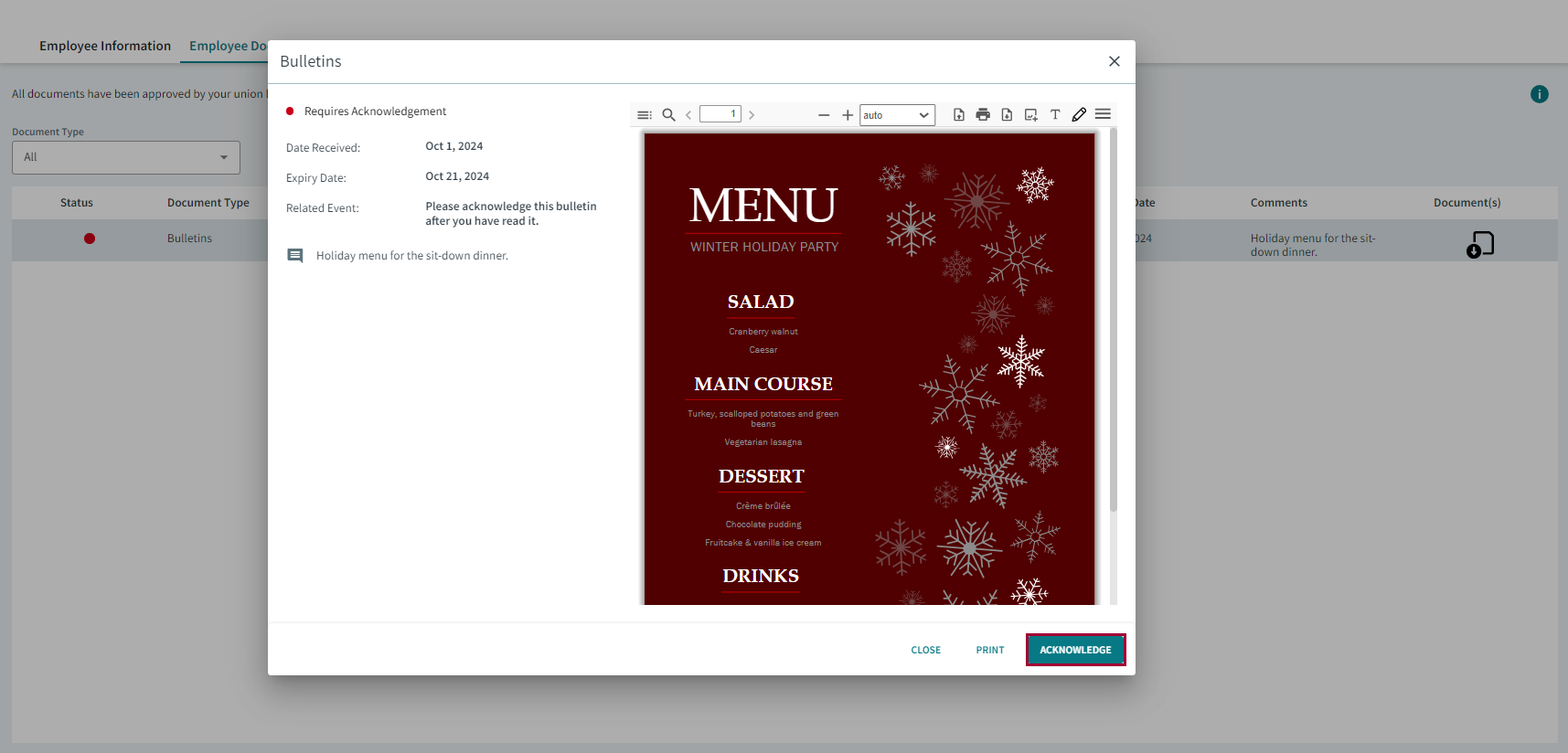
The status indicator turns green and the document is marked as acknowledged in your employee record.For document bulletins, employee acknowledgement can be checked in the OPS Bulletins screen.
- Select Close.