
Scheduling Trips by Choosing Runs
When viewing trips in Schedule Editor, you can quickly schedule or reschedule a trip by choosing a run for the trip.
Before you begin
Procedure
- Select the correct schedule.
- Locate and select the trip that you want to schedule or reschedule.
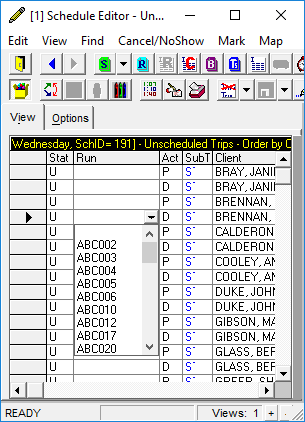
- In the Run column of the trip record, in the list, click the run on which you want to schedule the trip.
-
Press Enter.
The trip is scheduled on the specified run.
- Optional: To determine whether violations occurred as a result of the change, you can view the run itinerary.