About Solution Parameters
Before you begin scheduling activities in the Schedule Booking Wizard, you should
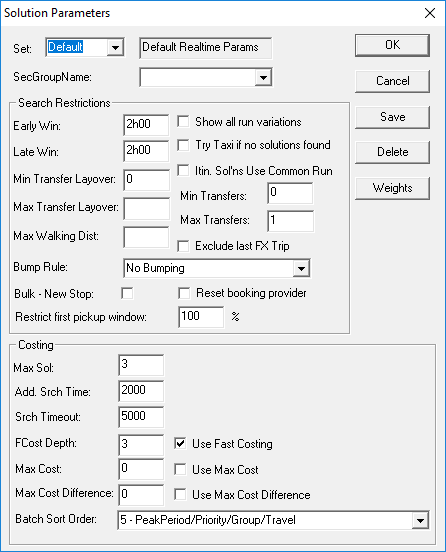
determine the number and types of solutions that the system produces by clicking or clicking the Parameters button:
The Solution Parameters dialog box appears. Using the
Set list, you can choose a set of solution parameters. Review the
Solution Parameters settings when you have to perform any scheduling
activity using the Schedule Booking Wizard.