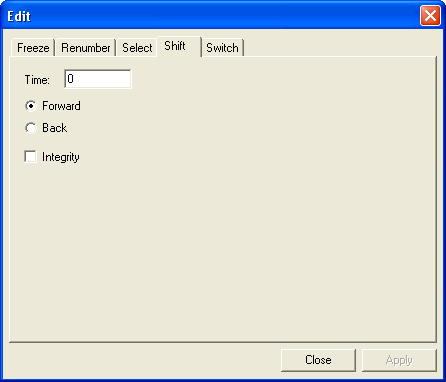
The Shift tab in the Edit dialog box of the
Blocking screen allows you to alter the run times of selected trips in
the Blocked trips grid.
-
On the Blocking tab, press CTRL and
highlight the trips in the Blocked grid that you would like to
shift.
-
With the Blocking tab open, click the Edit
button:
 .
.
The Edit dialog box appears.
-
Click the Shift tab.
-
In the Time field, enter the number of minutes by which you want
to shift the trips.
-
Click Forward or Back depending on
whether you want to shift the trips forward or back.
-
To check for overlapping time intervals caused by the shift, select
Integrity.
-
Click Apply.
-
Click Close.
Note: If you shift trips after having assigned your garages, reassign your garages to
ensure the correct
pull-out/pull-in times are applied to the revised trips.