
Viewing the Roster Costing Summary
You can view the summary of roster costing using the Costing Summary dialog box.
-
Do one of the following:
- Click .
- Click the Costing Summary button:

The Costing Summary dialog box appears.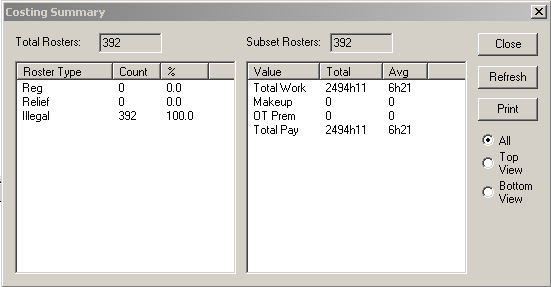
The left frame shows the roster types by actual numbers and percentage distribution. The right frame shows the total and average values of the rosters.
-
To view the statistics for a grid while working on it, click the appropriate
option:
- Top View
- Bottom View
Note: The All option is selected by default. - Click Refresh.
- Optional:
To print the data, click Print.
The data appears in a text editor format.