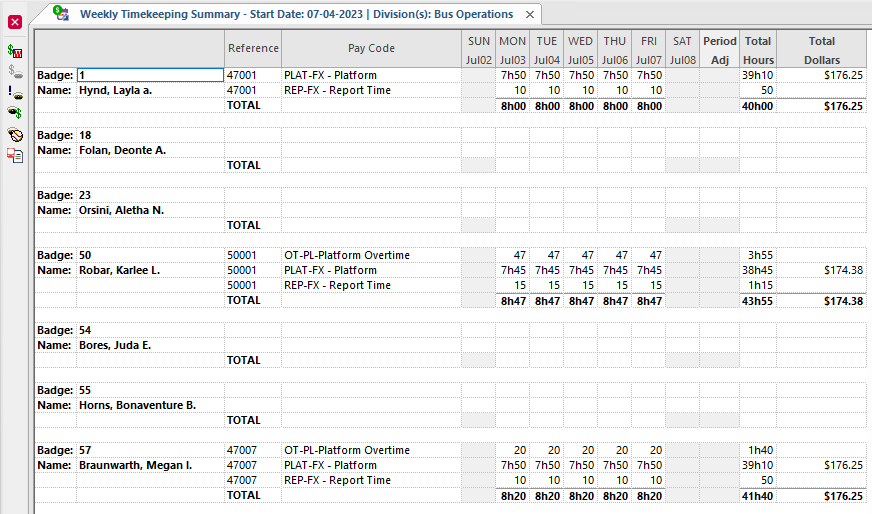
The Weekly Timekeeping Summary screen lets you review hours worked
during a week.
You can review hours worked and pay received in a week by employees in specified divisions and
bid units. You can also see the total number of hours worked and the amount of pay received
during a week for a selected employee. Employee days off are shaded. Holiday column headers
appear in red. Negative times appear in red and in parentheses.
Accrual type totals appear as hours or days, depending on Accrual Types
ancillary data settings.
Weekly totals can be classified by pay code, payroll code, or reporting group, depending on the
Context settings.