
Viewing Statistics
View daily statistics from the Dispatch Log screen.
-
Open the Dispatch Log screen and set the Context
(F3).
The Statistics Time: From and To fields define the time range shown in the Statistics dialog.
-
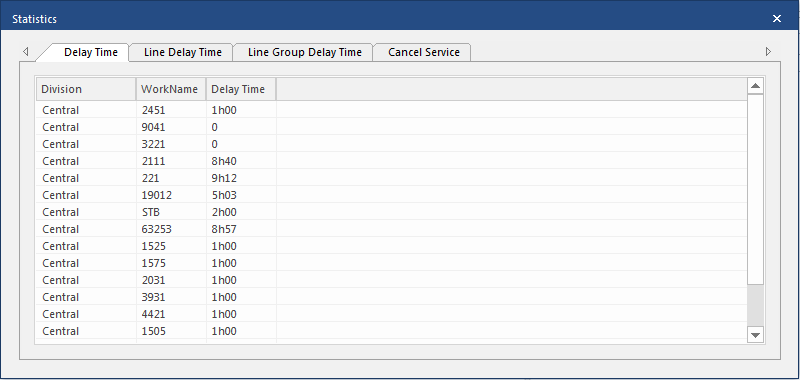
Select Statistics:

-
Select the tab with the information to show.
Statistics Tab Description Delay Time Delay times for the day organized by Work Name. Line Delay Time Delay times for the day organized by Line. Includes line abbreviation and line description. Line Group Delay Time Delay times for the day organized by Line Group. Includes line group abbreviation and line group description. Cancel Service Canceled services for the day organized by Work Name. Includes piece number, times, and reason.