Signing In to Work on Larger Screens

If your transit agency uses Sign-In Terminal, you can sign in to your work using ESS Employee Information.

A Sign-In Terminal (SIT) receipt is only available for sign-ins made from ESS or Sign-In Terminal. If a dispatcher or supervisor signs you in using the Dispatch screen, you won't see a record of it in ESS. SIT receipts shown in ESS don't use the system-defined properties and receipt parameters found in the Client Shell.

Depending on transit agency policies, signing in using a Sign-In Terminal kiosk may also move some of your personal messages from the Inbox to Acknowledged Messages.

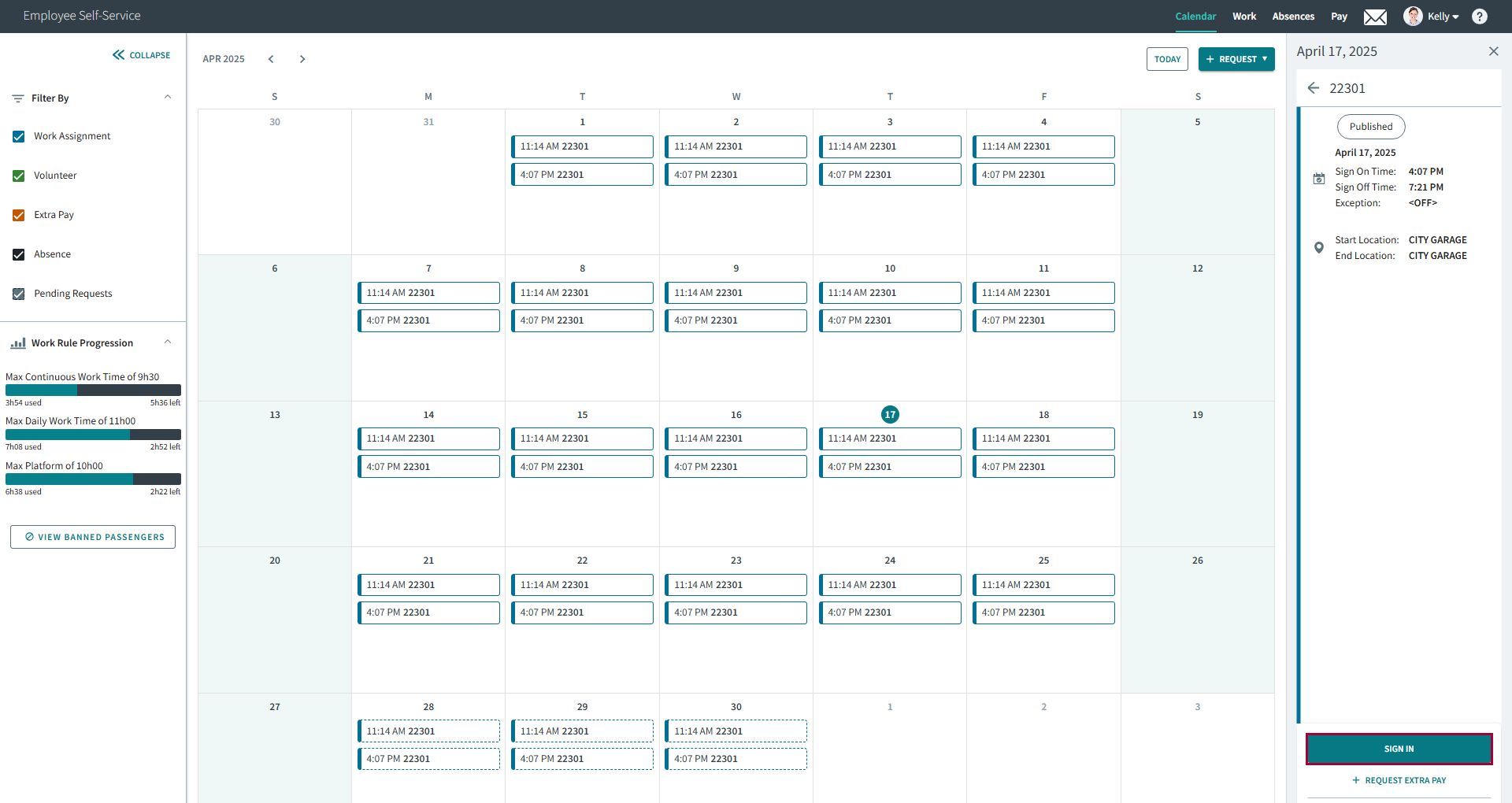
  1. In the navigation bar, select Calendar.
  2. Select today's work assignment.
  3. Select Sign In.
    Sign in option circled in red.
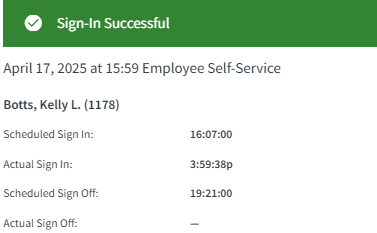
    The SIT receipt appears.
    SIT receipt showing Sign-In Successful.
If signing in to and then out off work (or out of and then into work), refresh the screen before the next signing activity.