
Viewing Volunteer Posting Reports on Smaller Screens

Volunteer posting reports show agency-wide postings for your available work types.

This page is updated after assignments are published for the day for the division associated with the work.
  1. Select menu (), then Posting Reports > Volunteer.
  2. Select the Date to view.
  3. Select a Volunteer Type.
The volunteer posting report shows matching assigned volunteers. Depending on system configuration, you may be able to see all volunteer type lists, or only your assigned lists.
If you are the assigned employee, you can see the same assigned work in your calendar as a work assignment event.
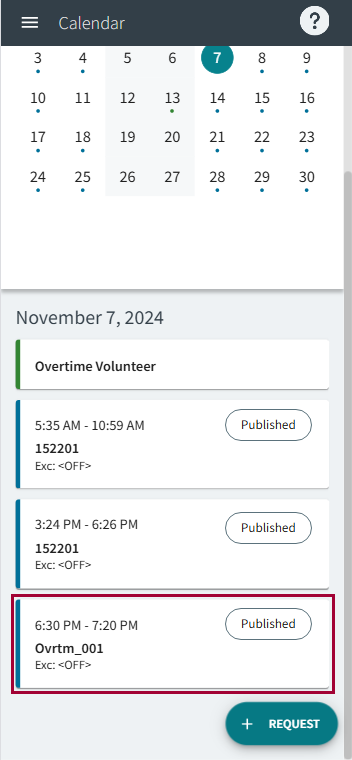
The Calendar page on a smaller screen showing volunteer and work assignment events.