
Viewing Driver Paddles on Smaller Screens
Driver paddles show detailed route information for work defined by your transit agency.
-
Select menu (
 ), then Paddles.
- Select a Division, Schedule, Service, and Effective Dates.
-
Select Find Paddle.
A list of records appears in card form.
-
Expand (
 ) a driver paddle card.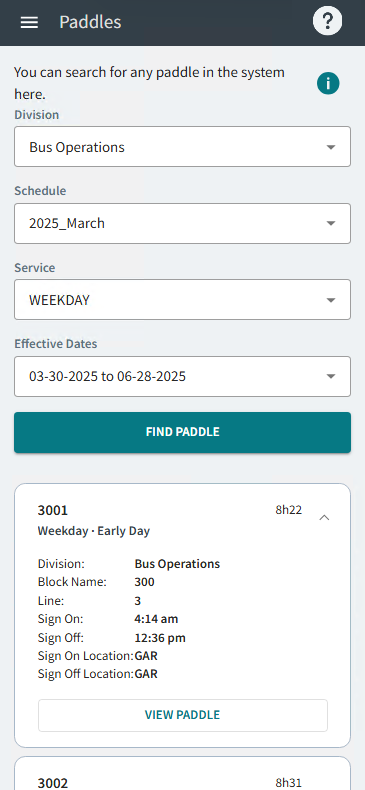
-
Select View Paddle.
The Driver Paddle report shows in a new dialog.
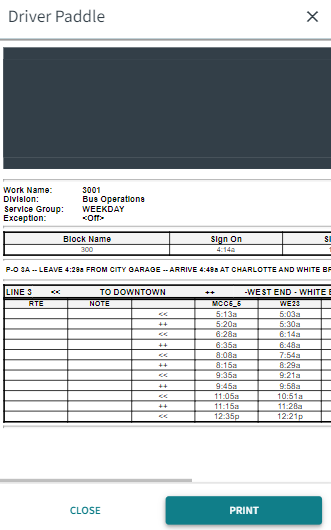 Note:The report format and included information may vary based on transit agency requirements.
 - Optional: To print a copy of the report, select Print.