Viewing Hold Downs and Open Runs on Smaller Screens
View available hold-downs and open runs.
-
Select menu (
 ), then Hold Downs & Open Runs.
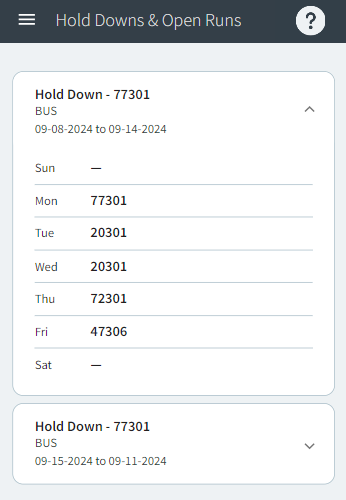
Depending on system configuration, you may see hold-down runs for the coming week or runs to the end of the sign-up period. System configuration also defines the work type of the runs that are shown.
), then Hold Downs & Open Runs.
Depending on system configuration, you may see hold-down runs for the coming week or runs to the end of the sign-up period. System configuration also defines the work type of the runs that are shown. -
Expand (
 ) a Hold Down or Open Runs
card.
) a Hold Down or Open Runs
card.