
Viewing Extraboard Posting Reports on Larger Screens

Extraboard posting reports show agency-wide postings for available work types.

Depending on system configuration, you may be able to see all extraboard type lists, or only the lists to which you are assigned.
  1. In the navigation bar, select Work > Posting Reports.
  2. Select Extraboard.
  3. Select the Date to view.
  4. Select an Extraboard Type.
    Available report records appear.
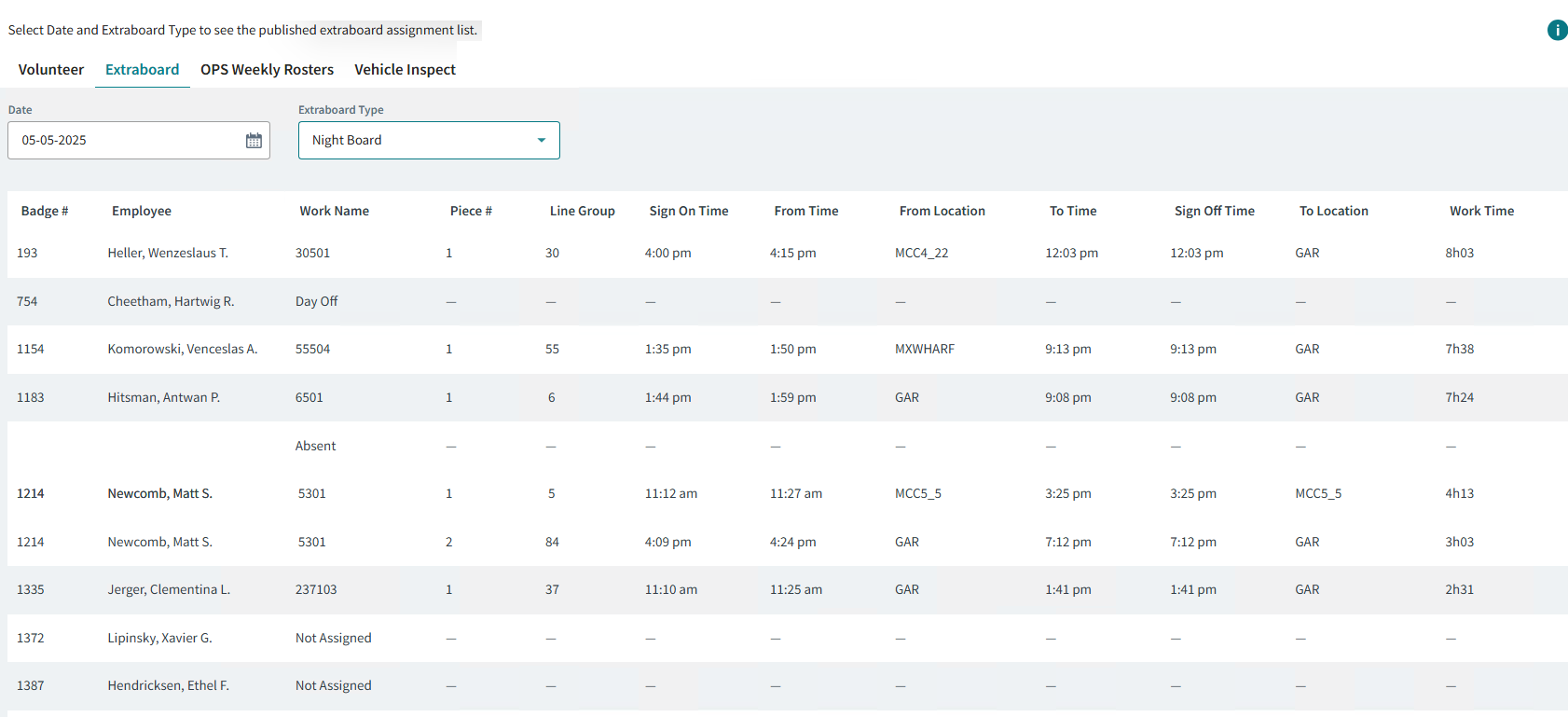
  5. Optional: If you are an assigned Employee, you can see the Work Name in your calendar as a work assignment below the extraboard assignment.
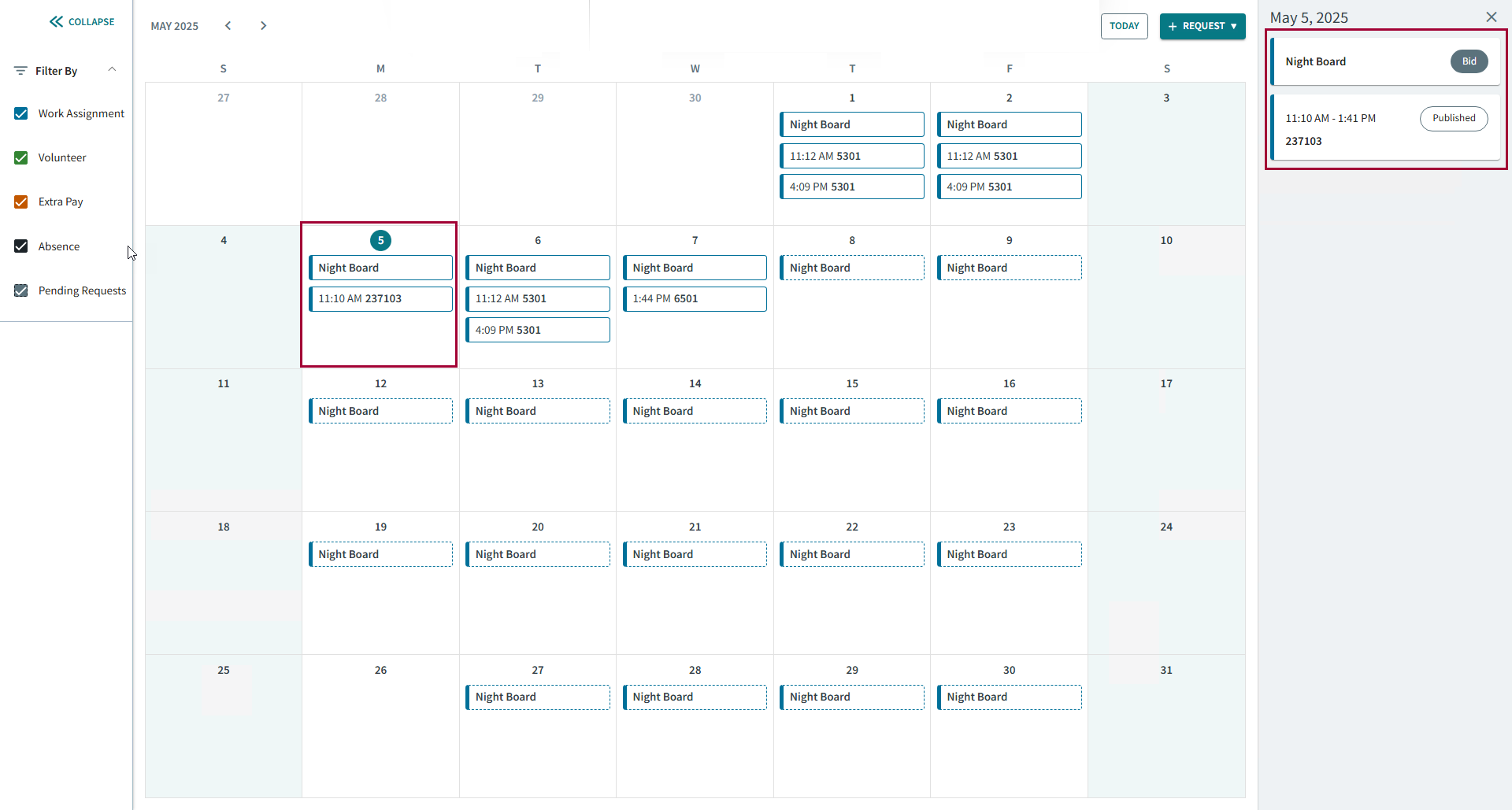
    The Calendar page showing an extraboard assignment and the associated work assignments circled in red.
For information about adding employees to extraboard lists or assigning employees to work using the Daily Activity screen in the Client Shell, see the OPS System Administrator and User Guide.