Assigning Volunteers to Work in the Client Shell
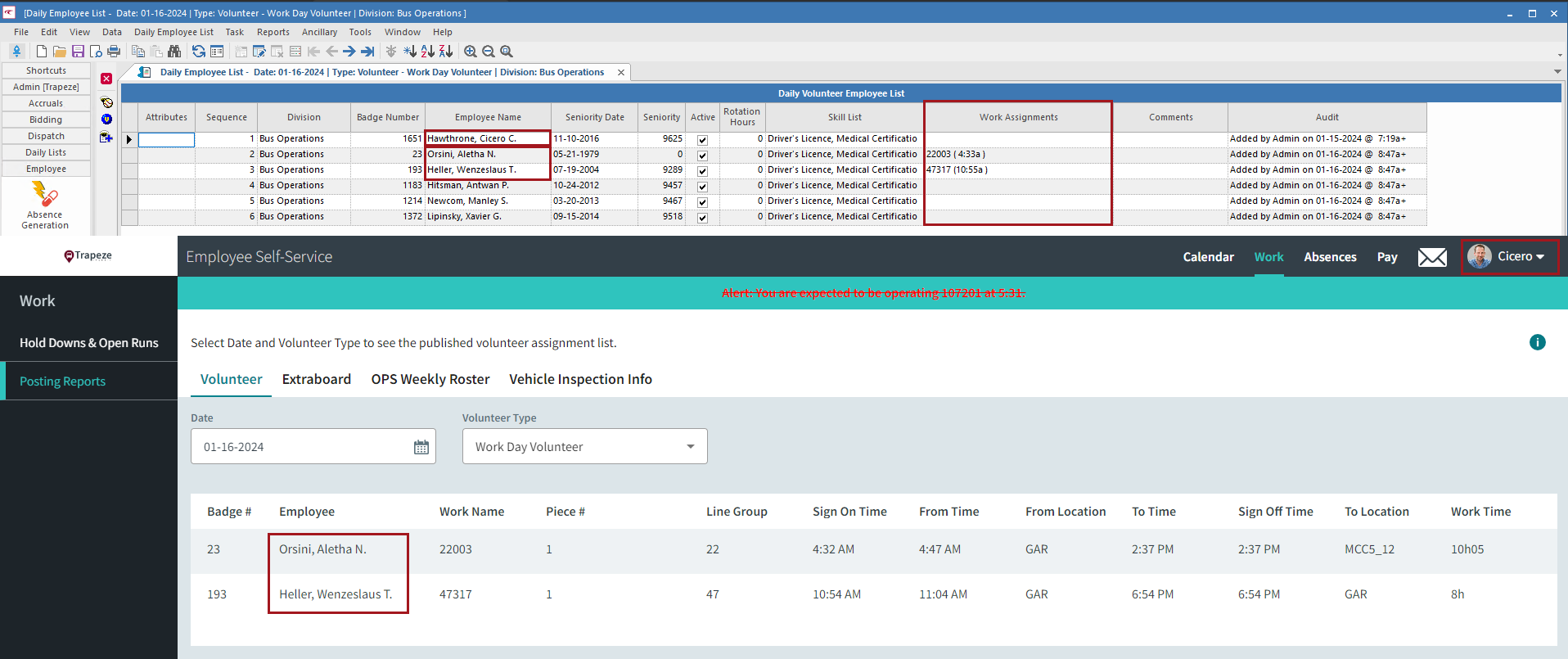
Client Shell users can assign volunteers to work. ESS shows assigned volunteers on the page.
- In the Client Shell, open the Daily Activity screen.
-
Set the Context (F3).
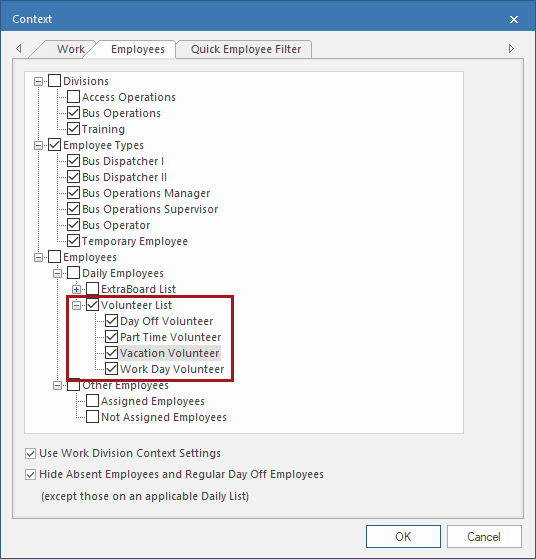
You can narrow the list of employees shown to those in the volunteer list, or to a specific volunteer type, on the Employees tab.
-
Select available work to be assigned and then select Assign
Employee.
Depending on your system configuration, you can also use the Suggest Employee option. This requires configuration by a system administrator or your Trapeze representative.
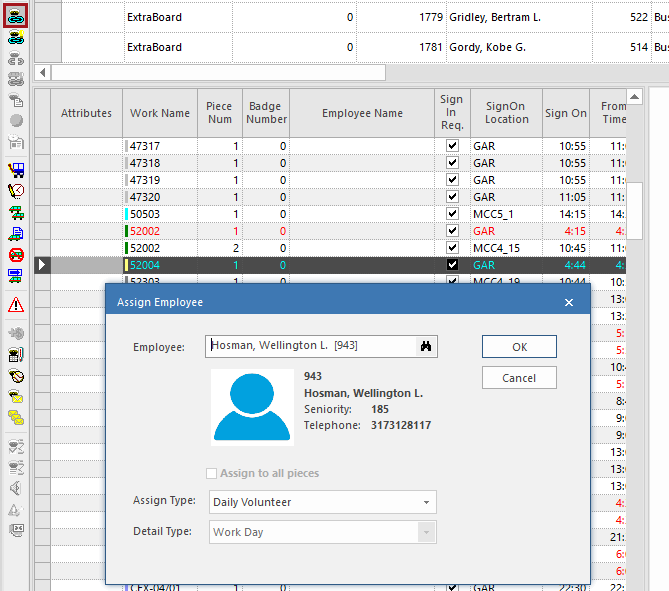
- Enter the Employee badge number or start typing a last name to see suggestions.
- In Assign Type, select Daily Volunteer.
- In Detail Type, select the volunteer type to associate with the assignment.
- Select OK.
- To see who will appear on the list, open the Daily Employee List screen and set the Context (F3) to the Date, Agency, and Division. Select Volunteer and choose the Volunteer Type to view. You will need to check each volunteer type separately.
Employees showing
on the daily list will see the volunteer posting report information for their
volunteer types in ESS, and employees with
assignments can view their work on the Calendar
page.