
Enabling Personalization

Reports that allow personalization let consumers change visualizations for visuals and select the data to be viewed.

Personalization is a way to grant consumers most of the same functionalities available to power users. If personalization is made available, consumers should have an advanced understanding of the data that drives agency reports.
  1. Open the workspace and locate the report to allow personalization.
  2. For the report, select More Options (…) > Settings.
  3. Turn on the Personalize visuals toggle.
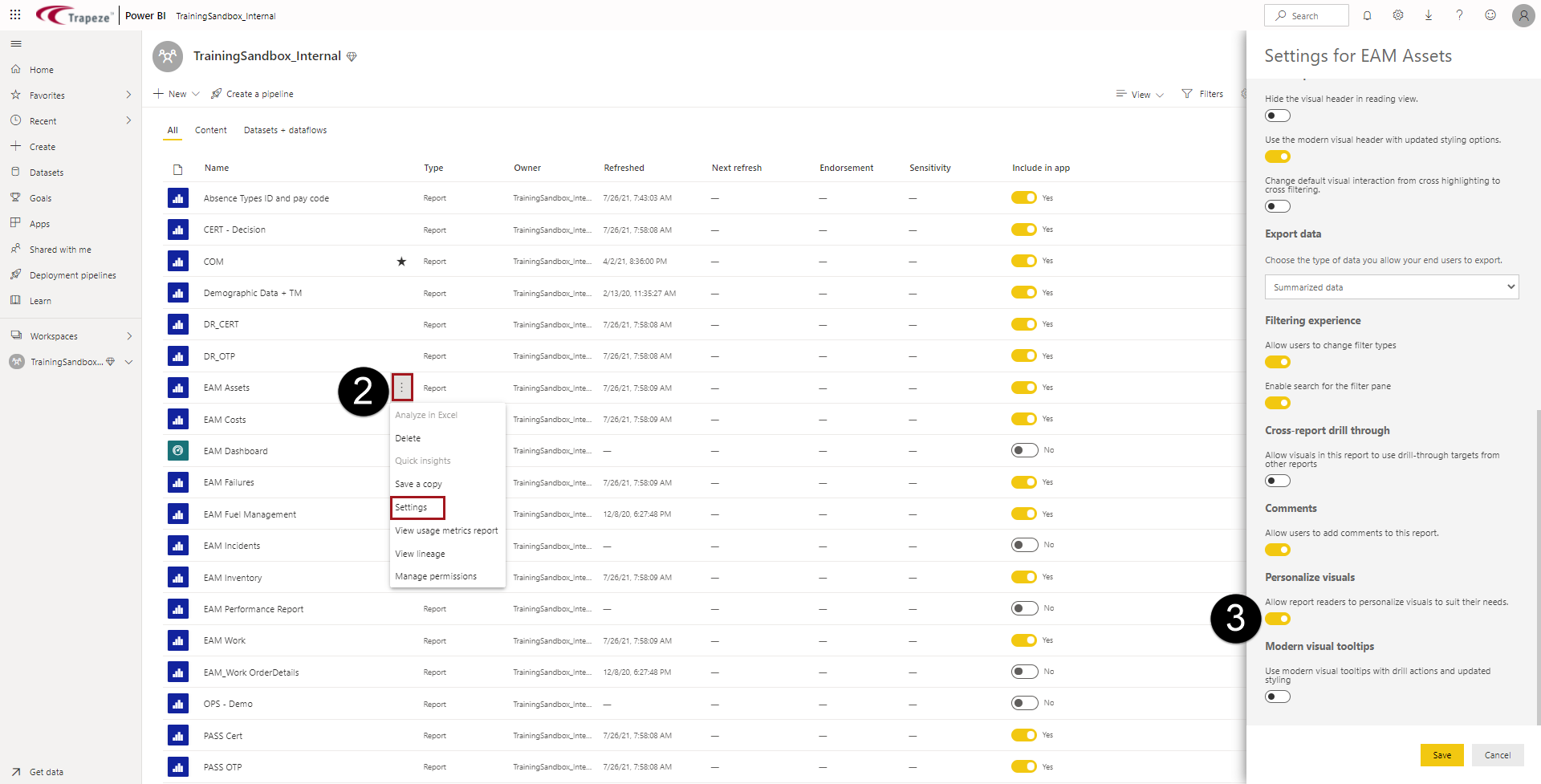
    The workspace marked with 2 showing More Options (…) and Settings, and 3 showing the Personalize visuals toggle.