Opening Reports
Open reports for analysis or for further customization.
Do one of the following:
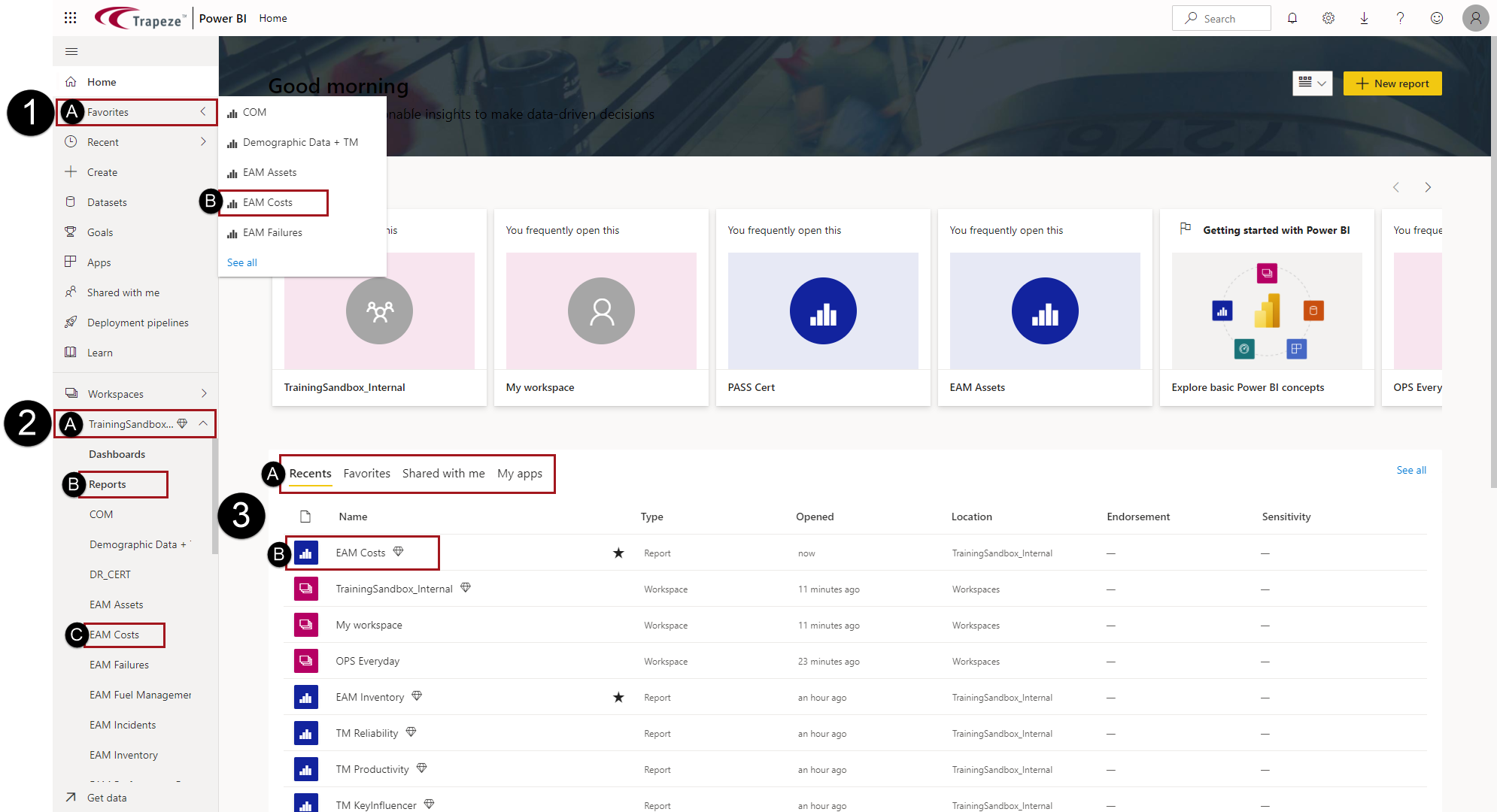
- In the navigation pane, select a menu item (for example, Favorites) to see and select related reports.
- In the navigation pane, expand the workspace, expand Reports, and then select a report.
- In the Home canvas, from the Recents,
Favorites, Shared with me
or My apps tab, select a report.