
Exporting Reports
Reports can be exported in multiple formats.
-
On the Report toolbar, select Export.
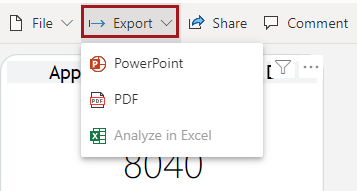
The Analyze in Excel option is not available. -
Select your desired output format.
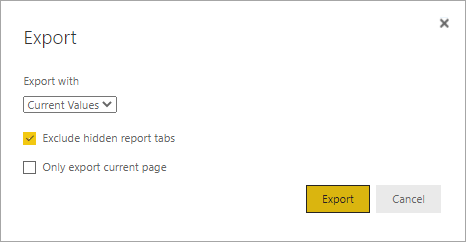
A dialog appears with customization options.
-
Select your desired output options.
To.. Select this.. Use default values from the report Export with Default Values Use values in current modified state Export with Current Values Exclude report tabs that are hidden and do not appear on the browser Exclude hidden report tabs Export the current page Only export current page - Select Export.