
Reviewing Paraservice Area Rules Before Completing a Booking
Certain rules of travel may be defined for specific service types.
Before you begin
About this task
Procedure
-
Click the Add New button:

- In the Date field, specify the date for the booking.
-
In the Paraservice field, select the required service
type.
N/A shows all paraservice area rules for all service types.
-
Click the Client Eligibility Rules button:

The Client Eligibility Rules dialog box appears.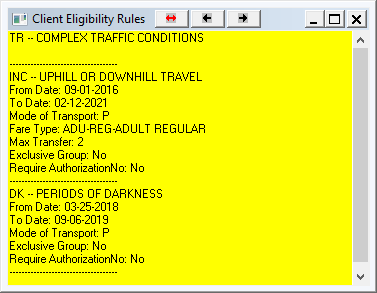
-
Click the red, double-headed arrow:

The title bar is renamed Service Area Rules. (Click the double-headed arrow again to display Client Eligibility Rules).Paraservice area rules applicable to the date specified for the selected service type are shown.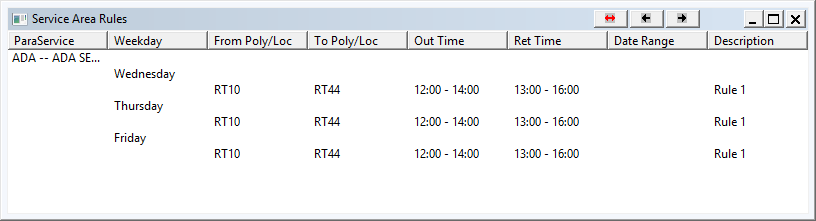
-
Review the service area rules and make changes in the booking where necessary so that
it complies with the paraservice area rules.
The Service Area Rules dialog box shows all rules for the selected paraservice type that are valid for the specified date.