
Searching for Bookings Using the Find Bookings Dialog Box
To view or edit a booking, use the Find Bookings dialog box to locate a specific booking for a client.
Before you begin
Procedure
Click the Find button:

Results
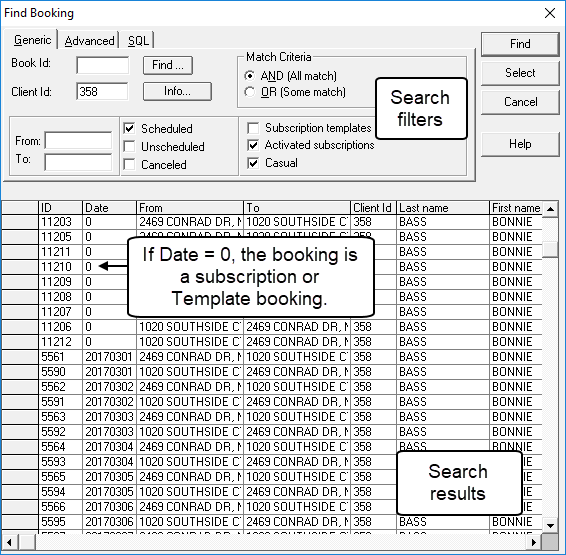
To view or edit a booking, use the Find Bookings dialog box to locate a specific booking for a client.