
Setting the Fonts
You can change the fonts that are used for the headers and other pieces of data on the graph.
-
Click .
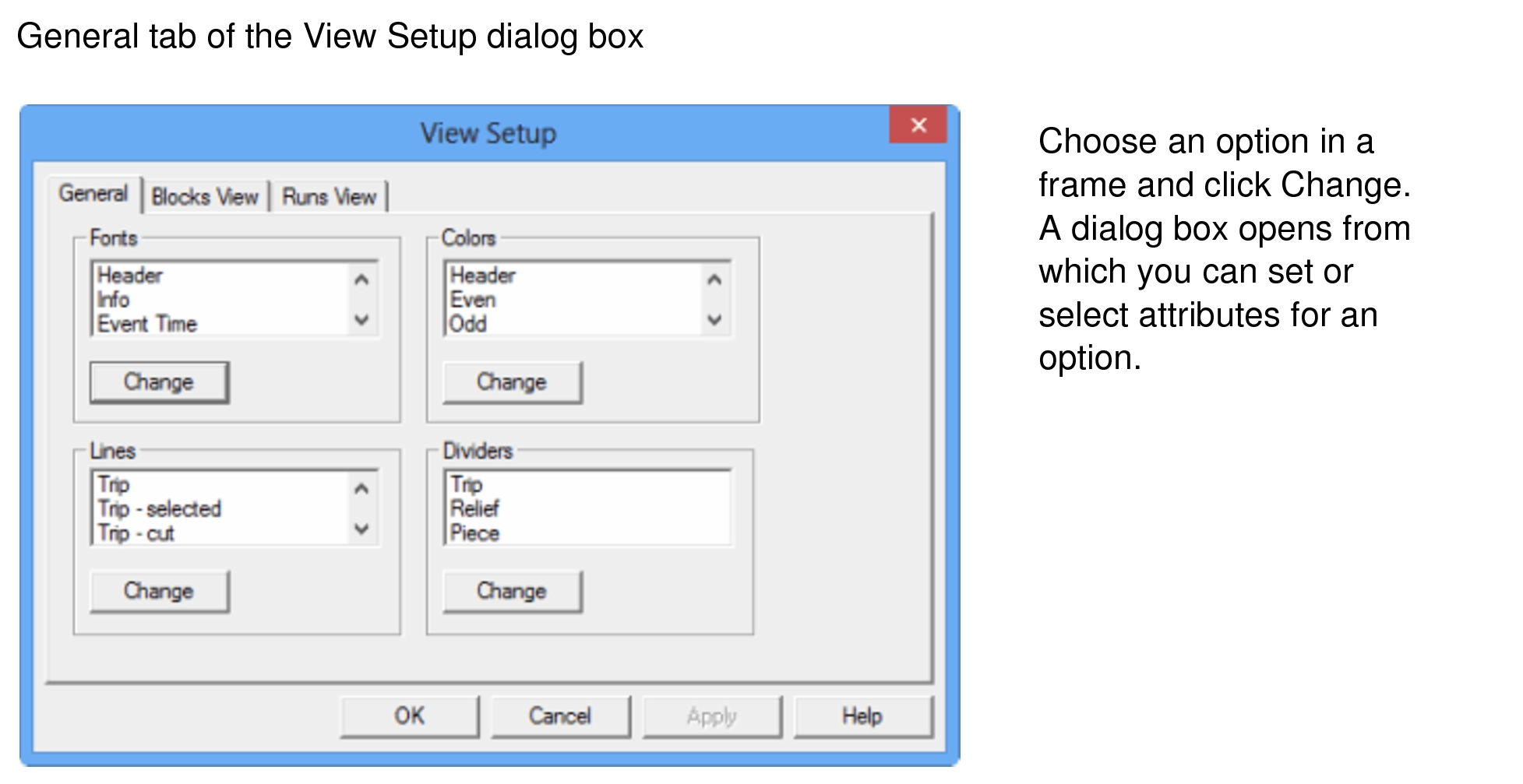
The View Setup dialog box appears with the General tab open by default.
-
In the Fonts frame, select a data item, for example, Header,
Info, and click Change.
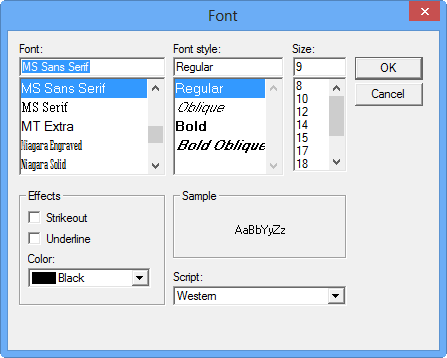
The Font dialog appears.
-
Choose the attributes: Font, Font style,
Size, Effects, and Script
that you want to apply to the selected data item.
A sample of how the text appears with the selected attributes applied appears in the Sample frame.
- Click OK.