Place text in quotation marks for exact match search results.
Selecting Blocked and Unblocked Trips
You can select trips in the Blocked and Unblocked grids using the
Select tab in the Edit dialog box.
To select trips from the Blocked and
Unblocked grids, click the Trips option
.
The Unblocked Trips check box is activated.
Optional: To select trips from the Unblocked grid,
select the Unblocked Trips check box.
Do one of the following steps:
Press CTRL and in the Block Number
list box, select the blocks that you want.
To select all the blocks, click Select All.
Click Apply.
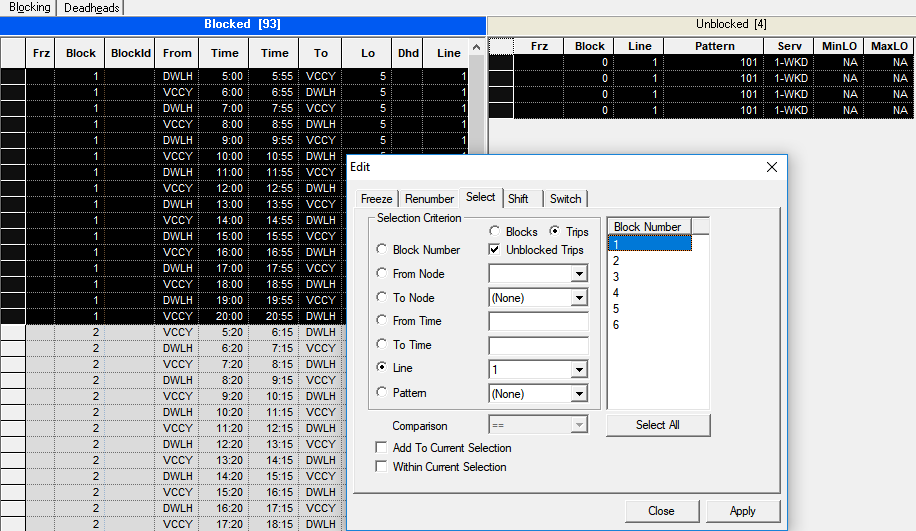
The blocks that match your criterion are highlighted in the Blocked
trips grid. The following graphic shows the trips in both grids that match
the selected criterion: