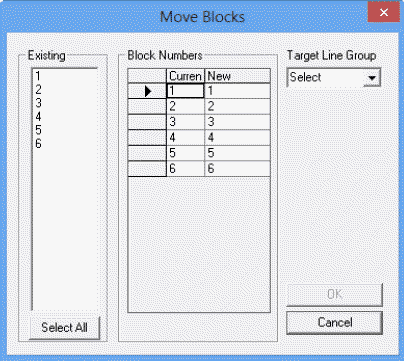
You can move blocks to line groups using the Move Blocks dialog
box.
-
In the Blocking screen, click .
The Existing frame shows the blocks that are on the
Blocking tab. By default, all the blocks are shown in the
Block Numbers frame.
-
Do one of the following steps:
- In the Existing frame, select the blocks that you want to
move.
- To select all blocks, click Select All.
-
In the Target Line Group drop-down list, click the line group to
which you want to move the blocks.
If the target line group has a block with the same number, the system provides a new
block number. Otherwise, the moved blocks retain their numbers.
-
Click OK.