Replying to Memos

Reply to employee memos assigned to you using the Employee Memos screen.

To use employee memos, Employee Self-Service Employee Information must be installed.
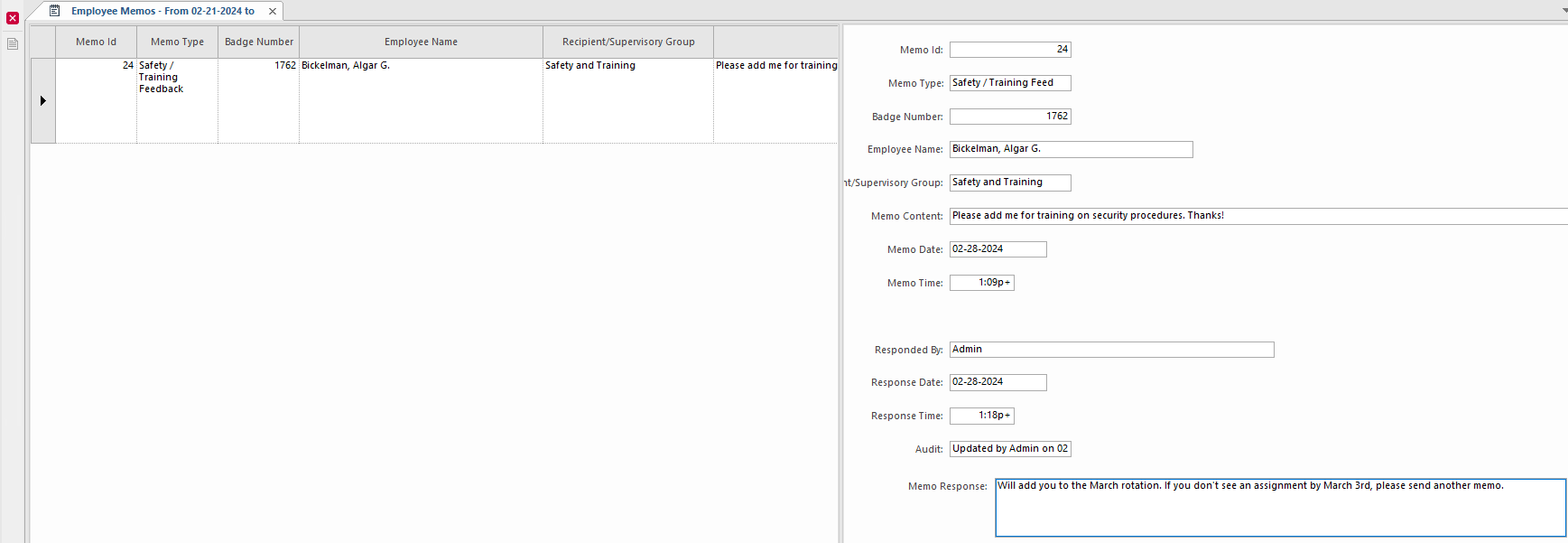
  1. Open the Employee Memos screen and set the Context (F3).
  2. In the left pane, select the memo to answer.
  3. In the right pane, enter your response.
  4. Select Save: Save
    Memo response example
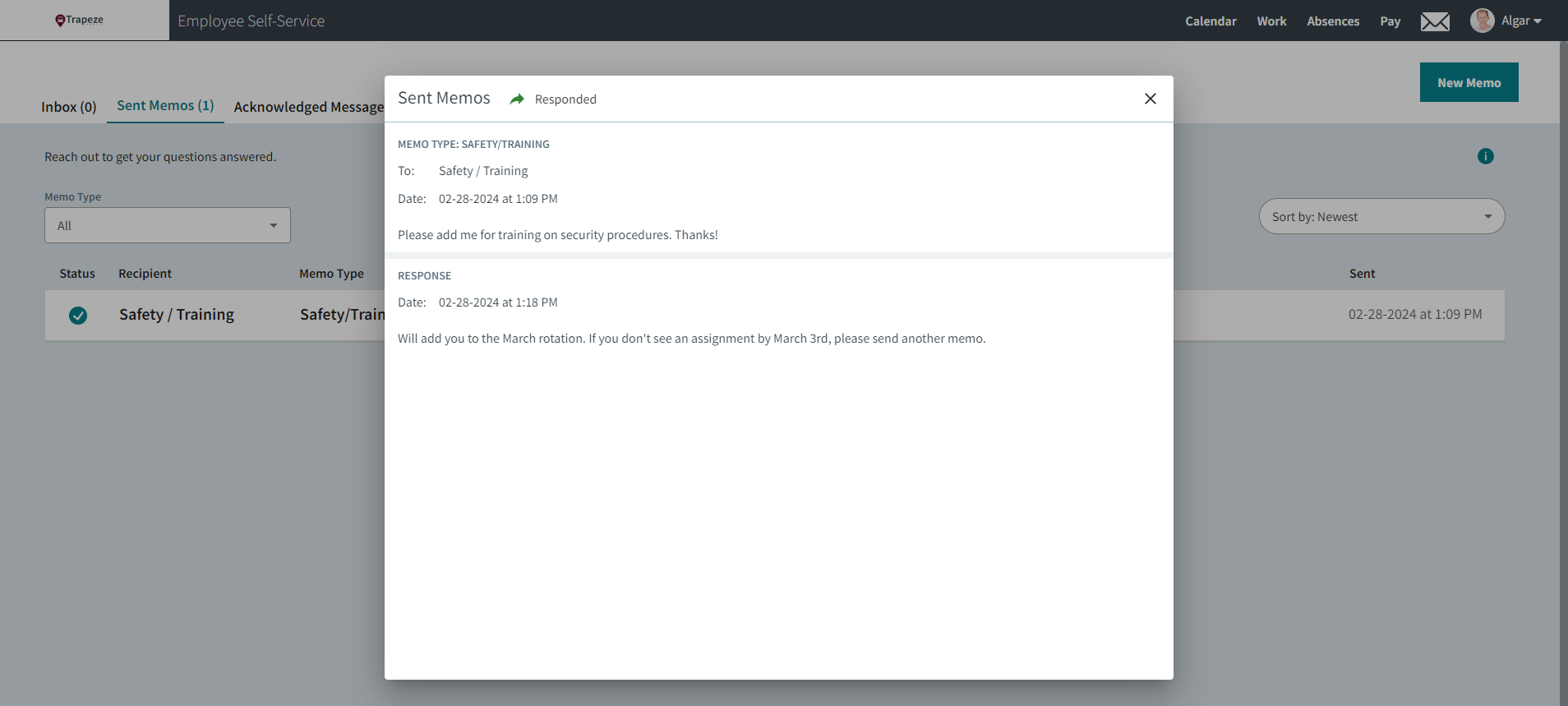
The memo response is visible to the employee on the Messages page, on the Sent Memos tab.
The Sent Memos dialog with the Message page shown behind it.