
Allowing a Suppressed Trip to be Copied
You can restore a previously suppressed trip so that it can be copied for new bookings.
Before you begin
Procedure
- Search for the client whose trips are to be suppressed.
-
Click .
The Trip Exclusion dialog box appears.
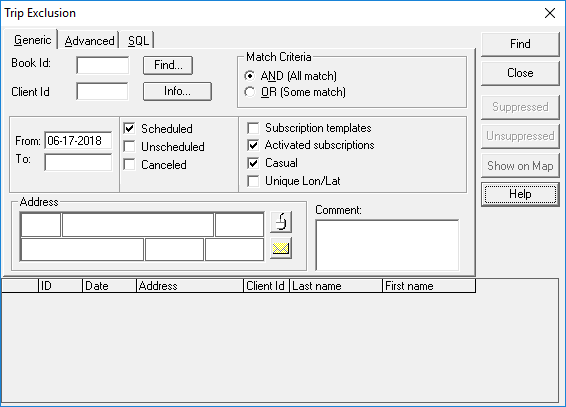
- Enter information in one or more of the available fields.
-
In the Match Criteria frame, choose the AND (All
match) option to locate an exact match.
Selecting the OR (Some match) option broadens the search to include trips that may match some of your search criteria and not others.
-
Click Find.
The bottom grid shows bookings that match your search input.
-
Highlight the appropriate booking and click Unsuppressed.
The booking is no longer suppressed.
- Click Close.