
Adjusting Employee Point Value Balances
Adjust point value balances on an employee-by-employee basis.
- Open the Employee Profile screen.
-
Select the employee record to be updated and select Performance
Points.
If Quarters is used, a Quarter column is shown.
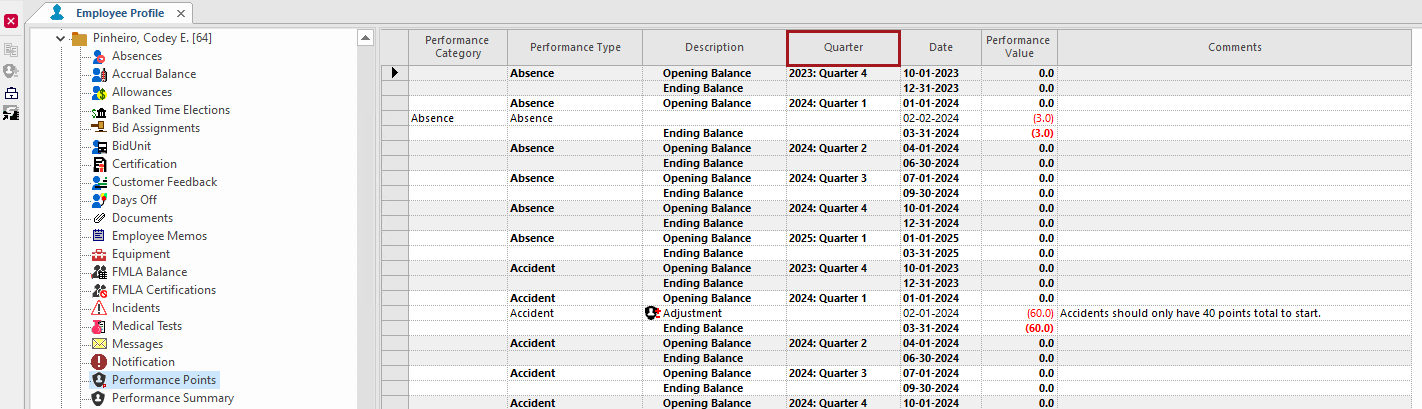 Performance point balances are shown for all existing performance types.
 -
Select the Opening Balance record for the
Performance Type to adjust.
Performance types are defined by a system administrator in Performance Types ancillary data.
-
Select Performance Adjustments:

-
Enter the Date for the adjustment, the
Performance Value of the adjustment, and any
Comments.
Enter a negative value if subtracting points from the opening balance.If the Opening Balance date is used, the entered information replaces the original opening balance information.Note: Manual adjustments can also be edited using Performance Adjustments. Automatically generated points values can't be changed.
-
Select OK.
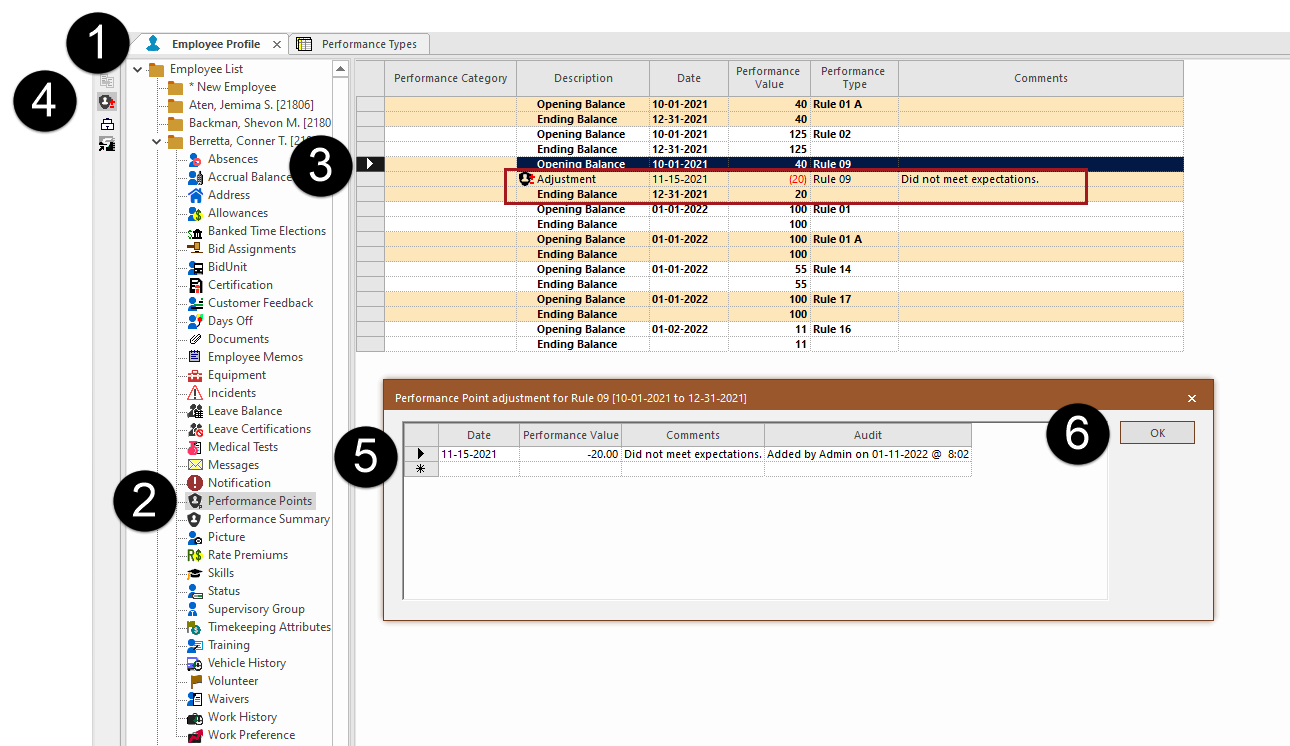
The Adjustment record is added and the quarter or total Ending Balance is updated for the Performance Type.