
Generating Performance Point Value Balances
Generate an initial performance value for a group of employees in the Performance Value Balance screen.
-
Open the Performance Value Balance screen and set the
Context (F3).
- Select the Date for which to look for matching employees.
- Select the Agency, Division, Employee Type, and Status Type by which to look for matching employees.
- Select the Performance Types for which to generate point balances.
-
If the Quarter Option is shown, select the
quarter for which to create the point balance.

-
Select Generate Performance Value:

-
In the Performance Value Generation dialog, do one of the
following:
- Select Select all employees from context.
- Select Employee and enter the name of the employee for whom to generate a points balance.
-
If available, define the Effective Date for the point
balance.
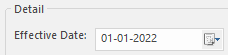
This option is only available if the Quarters property isn't selected. - Enter the Performance Value to be used as the opening points balance for the selected employees and any Comments.
-
Select OK.
Performance values are generated for each performance type selected in the Context. When using quarters, performance values are updated to 0 for performance types not selected in the Context.
To see the details of the points generation, check the OPS Process Log.