
Adding Extra Pieces
You can add an extra piece of work to any run or to create a new piece of work that becomes a run.
- Select the run to which you want to add an extra piece of work.
-
On the footer, click Add Extra Piece:
 The Add Extra Piece dialog appears.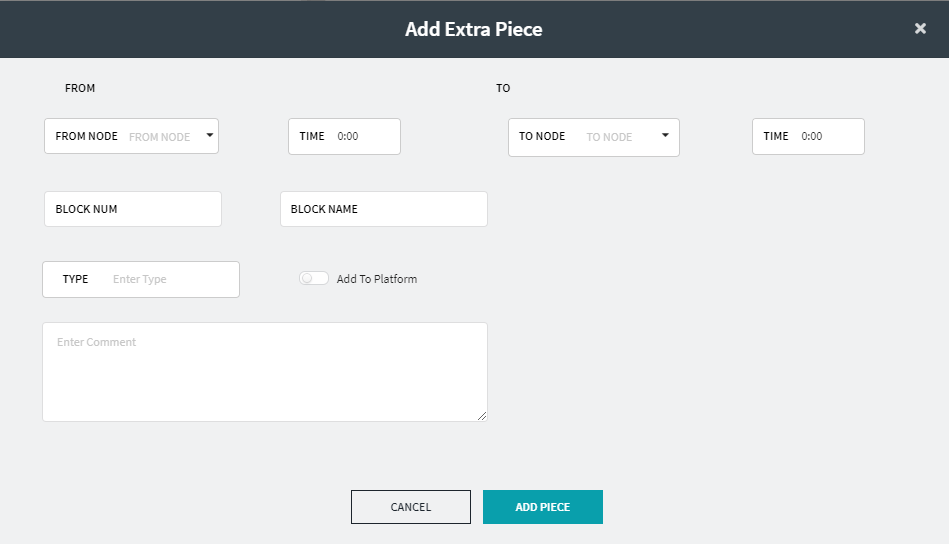
-
In the From Node and To Node
drop-down lists, select the appropriate nodes.
The Node lists contain all nodes in the context (not only nodes that are garages).
- In the Time fields of the From and To frames, type the times when the extra piece begins and ends, respectively.
- Optional:
To add the extra piece time to the run platform time, set the Add to
platform toggle button to On.
This applies only to the selected piece in the selected run.
- In the Type field, type the appropriate type of piece.
- Optional:
Depending on your site’s requirements, perform the following additional
steps:
- Type the appropriate values in the Block Number and/or Block Name fields.
- Type a detailed description of the extra piece in the Comments field.
-
Click Add Piece.
The extra piece is inserted in the grid where appropriate.