
Comparing Parameters
You can compare parameter values of different scenarios.
-
On the main ribbon, click .
The Compare Parameters screen appears. The parameters and values of the active scenario are shown.
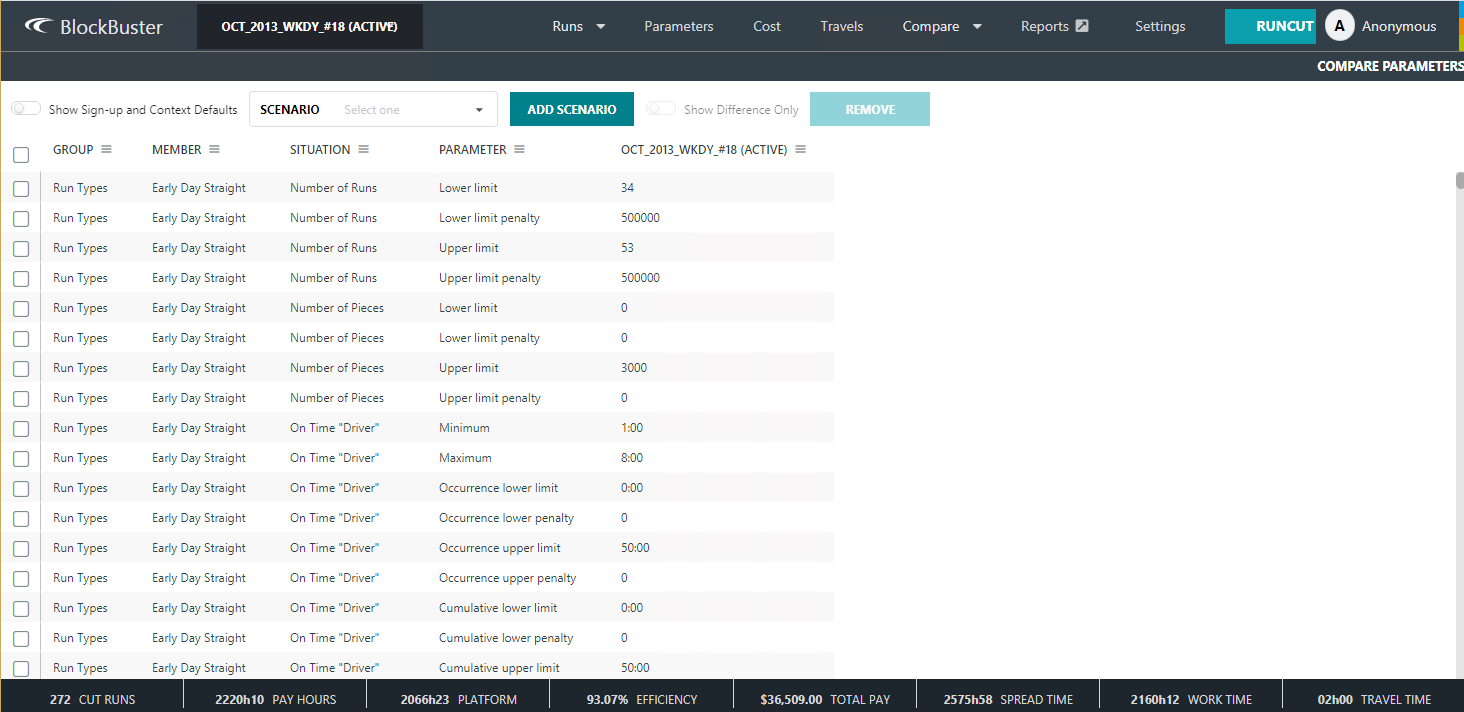
- Toggle Show Sign-up and Context Defaults to On to display the Signup and Context columns.
-
In the Scenario list, click the scenario whose
parameters you want to compare with those of the active scenario and click
Add Scenario.
The parameters of the selected scenario are shown in a separate column.
- To compare the parameter values of another scenario, select it from the Scenario list and click Add Scenario.
-
To view the differences among the selected scenarios only, select the check box
beside the name of the scenarios you want to compare and toggle Show
Difference Only to On.
The differences between the two scenarios are shown, if any.

-
To remove a scenario, select the check box beside the name of the scenario, and
then click Remove .
Note: You can only remove one scenario at a time.