
Updating Reliefs
The Update Reliefs functionality enables and disables both regular reliefs and deadheads
- The trips have been blocked.
- The trips have been assigned to divisions.
-
There must be a record in LineStopLabels table for the correct DivisionId and ServiceId. (The division and service of the correct agency must be used.)
Open the Settings screen.
-
Click .
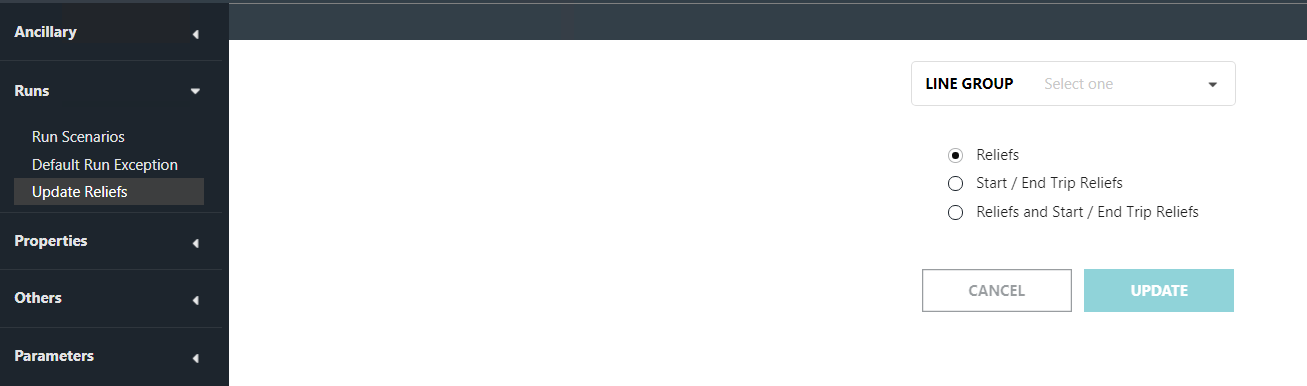
The Update Reliefs screen appears.
-
In the Line Group drop-down list, click the appropriate
line group or to include all groups, select All.
The Block field is shown below the Line Group field.
- In the Block drop-down list, click the applicable block or to update all blocks, select All.
-
Click the items you want to update:
- Reliefs: All reliefs. This is selected by default.
-
Start/End Trip Reliefs: Created Pull-Outs and Pull-Ins - The reliefs are marked with a “P” in the Label column of the Nodes tab in the FX Route Definition screen.
Choose this with caution. Only use this option if your transit site assigns reliefs at the beginning and end of runs. If you select this option, the system extracts reliefs at the beginning and end of runs whether or not you have selected them as relief points.
- Relief and Start/End Trip Reliefs: All reliefs and Created Pull-Outs and Pull-Ins
- Click Update.