
About Travels
Travel refers to the time it takes an operator to travel between relief nodes or between a garage and a relief node. They are defined in the Travels screen.
- Start of the run
- End of the run
- Start and end of the run
- Piece break
- Shift break
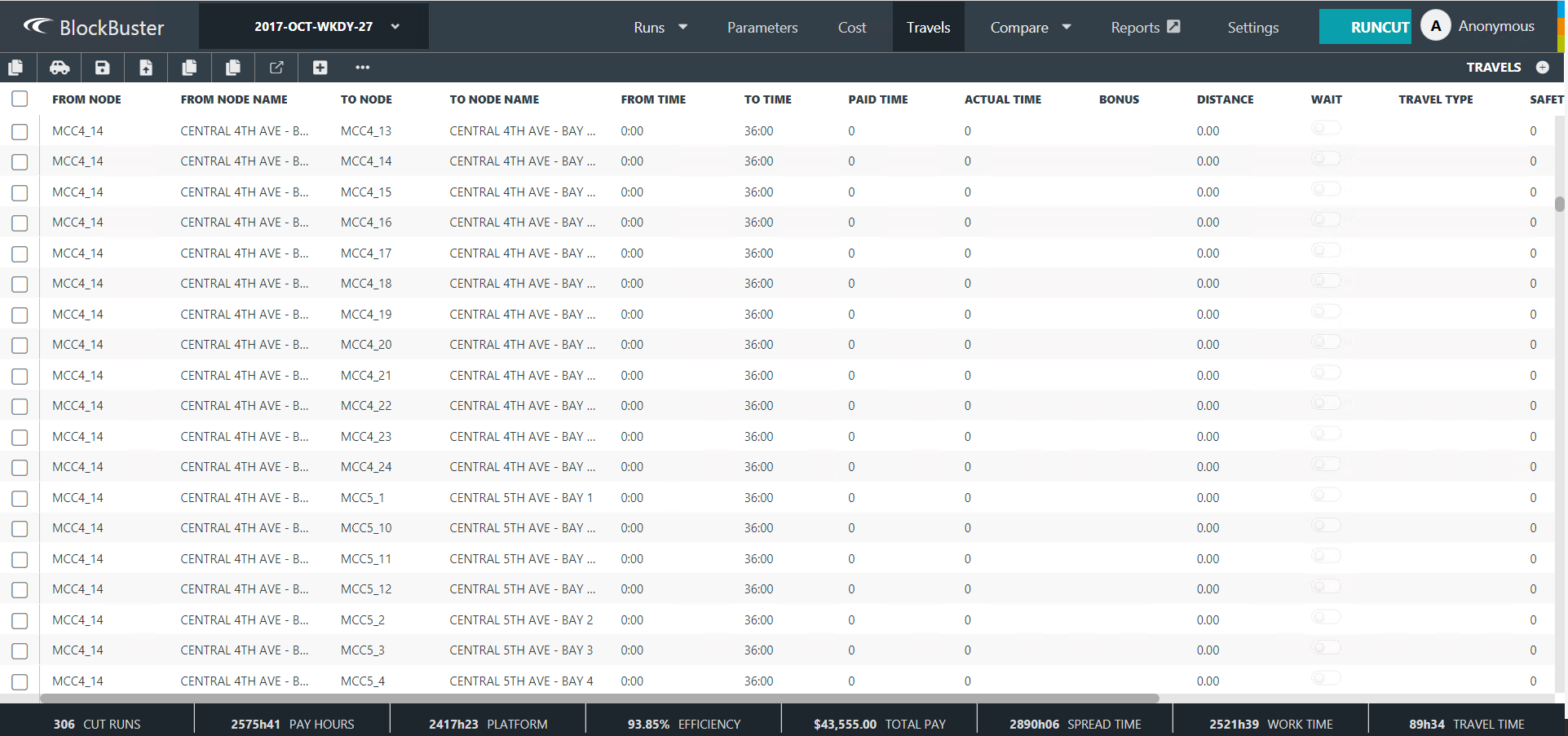
The following table explains the fields and options that are found in the Travels screen.
| Field/Option | Description |
|---|---|
| Actual Time |
Amount of time that the travel actually takes to complete. This is used in order to prevent the runcutter from assigning a preceding or a subsequent piece of work that requires a travel, which is also known as feasible travel. While Paid and Actual times are normally the same, they can be different such as when the drivers are paid a fixed rate for travel time but not for the actual time. |
| Bonus | Bonus (in time) paid when travel occurs. This contributes to a run's Travel Bonus rather than Travel Pay. |
| Comment | Additional information on the travel added through the Comment dialog. When you click the downward arrow in the field, the Comment dialog appears. |
| Distance | Distance of the travel. |
| From Node | Node or garage from which operators begin their travel. The list includes relief nodes and any other node that may be used in other travels of the selected agency in the context. |
| From Node Name | Name of the node or garage from which operators begin their travel. |
| From Time |
Time from travel time is valid. The time is set to 0:00 by default. |
| Paid Time | Amount of time that is paid when travel occurs. |
| Pay Wait | If selected, drivers are paid for the wait times. This is automatically selected when the Pay Wait field is selected in the Load dialog (for Waits and Travels). |
| Safety |
Amount of extra time provided for a driver to catch the next vehicle in a multi-leg travel. (This is also automatically shown after the Waits and Travels data is loaded.) |
| Shuttle | If selected, drivers are required to take a shuttle bus to accomplish the travel. (This is used in conjunction with the Shuttle parameters.) |
| To Node | Node or garage to which operators end their travel. The list includes relief nodes and any other node that may be used in other travels of the selected agency in the context. |
| To Node Name | Name of the node or garage from which operators end their travel. |
| To Time |
Time to when travel time is valid. The time is set to 36:00 by default. |
| Travel Type | If travels are only valid at specific points or places on the run, for example,
travelling to and from the canteen is only valid during a shift break, select the appropriate
travel type from the Travel Type drop-down list.
|
| Wait | If selected, drivers are paid for waiting for a service bus. |
| Wait At End | If selected, a wait is placed at the end of the travel. |