
Adding Missing Travels
When BlockBuster Web cuts runs and does not find travels, a message is displayed indicating that there are missing travels.
Open the Runs screen.
-
On the screen toolbar, click the Missing Travels button:
 The Missing Travels dialog appears.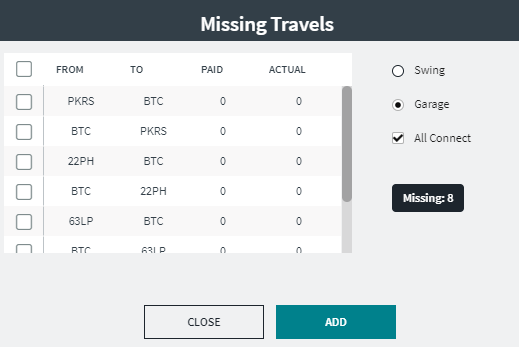
The number of missing travels is shown below the options on the right section of the dialog.
-
Choose the type of travel you want to view:
- Swing - A break between block pieces. These are
usually unpaid and more than 60 minutes. (
A “piece” is a section of work that makes up an operator’s daily run. Blocks are cut into pieces at relief nodes or from the garage pull-out or pull-in in order to create runs.
-
Garage: This is selected by default. If selected, the All Connect check box is displayed and selected. If you have more than one garage in the Division and want to see all available travel combinations between the nodes and all garages, keep the All Connect check box selected.
When a type is selected, the number of missing travels is automatically shown below the options. - Swing - A break between block pieces. These are
usually unpaid and more than 60 minutes. (
-
To select the travels that you want to add:
- To select all travels, click the check box beside the From header. All the travels are selected.
- To select only some travels, click the check box beside the travels that you want.
- Click Add.