Place text in quotation marks for exact match search results.
Freezing Runs
After runcutting, freezing runs
ensures that they cannot be altered.
On the Runs tab, click the Edit button:
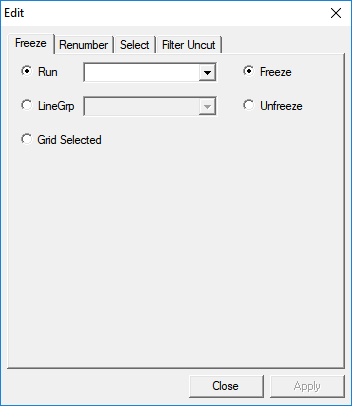
The Edit dialog box appears with the
Freeze tab open by default.
Select an option and the appropriate item in the drop-down list:
In the Run list, select a run.
In the Linegrp list, select a line group.
Click the Grid Selected option and in the Cut
Pieces grid, select the runs that you want.
Click the Freeze option.
Click Apply.
The St (Status) fields beside the selected runs are
marked with the letter F.
Click Close.
The procedure to unfreeze runs is similar to how to freeze them except that the
Unfreeze option is selected. After it is applied, the letter F is
no longer shown beside the selected runs.

 The Edit dialog box appears with the Freeze tab open by default.