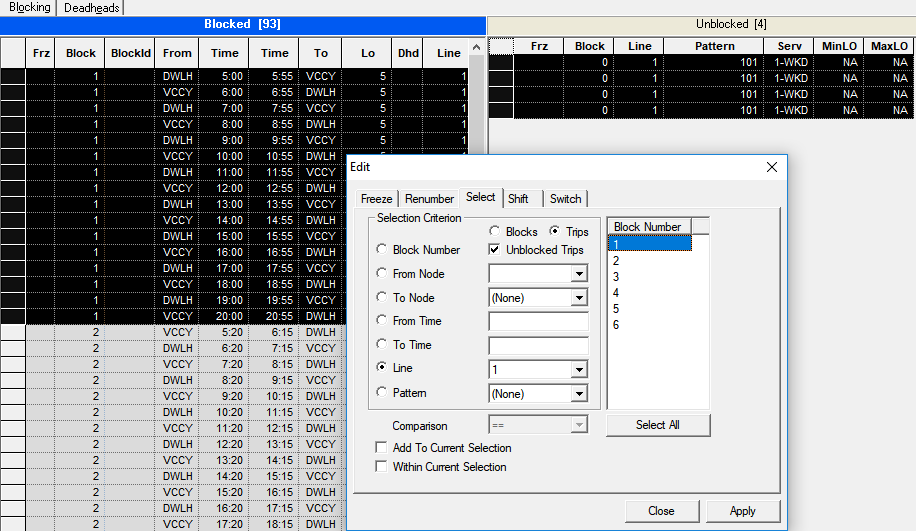
Selecting Blocked and Unblocked Trips
You can select trips in the Blocked and Unblocked grids using the Select tab in the Edit dialog box.
-
To select trips from the Blocked and
Unblocked grids, click the Trips option
.
The Unblocked Trips check box is activated.
- Optional: To select trips from the Unblocked grid, select the Unblocked Trips check box.
-
Do one of the following steps:
- Press CTRL and in the Block Number list box, select the blocks that you want.
- To select all the blocks, click Select All.
-
Click Apply.
The blocks that match your criterion are highlighted in the Blocked trips grid. The following graphic shows the trips in both grids that match the selected criterion: