
About the OPS Sign-Up Management Screen
The OPS Sign-Up Management screen lets you to add, edit, and delete sign-up periods.
Set the Context (press F3) when using this screen.
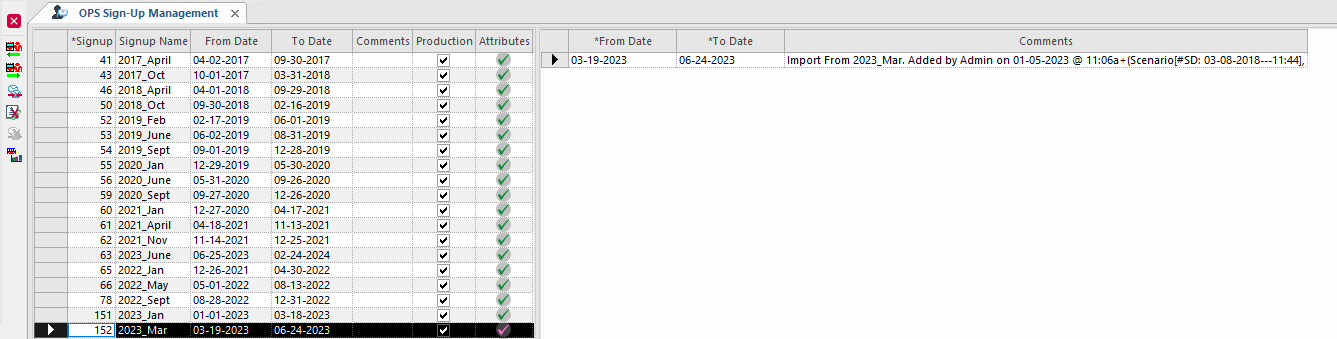
| Button | Label | Description |
|---|---|---|
 |
Shorten Sign-up Period | Shortens a sign-up period. Changes the end date of the sign-up period. |
 |
Extend Sign-up Period | Extends a sign-up period. Changes the end date of the sign-up period. |
 |
Import into an existing Sign-up period | Imports a sign-up period to replace an existing sign-up after a specified effective date. |
 |
Delete Sign-up Period | Deletes a sign-up period. |
 |
Rollback Import | Undoes a reimport and reverts to the original schedule. |
 |
Schedule Summary | Shows a summary of schedule information for the selected sign-up period. |