
Importing a Replacement Sign-Up Period Into an Existing Sign-Up Period
Importing a replacement sign-up period into an existing sign-up period lets you enter revised information without having to start another bid.
- Open the OPS Sign-Up Management screen and set the Context (F3).
- Select a sign-up period.
-
Select Import Into An Existing Sign-up Period:
 The effective end date for the data is the original sign-up period end date.
 - Select the From Date for the period to reimport.
- Select Apply.
-
Select Reimport.
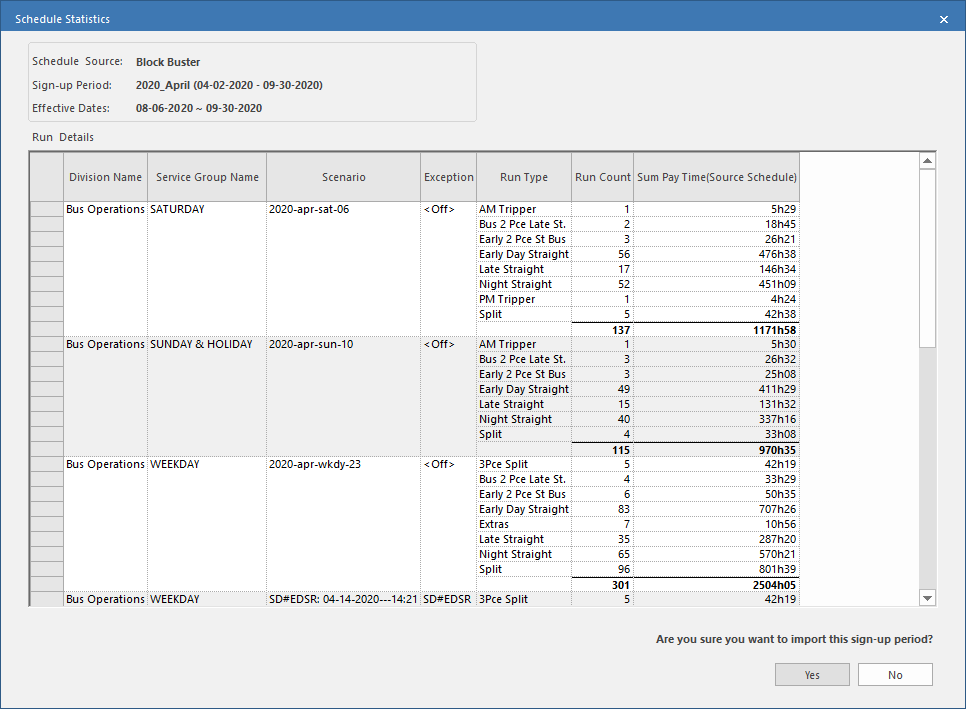
The Schedule Statistics dialog shows the information to be reimported.
-
Select Yes.
The Schedule Discrepancies dialog shows any changes.