
Editing Log Entries
Update log event details as needed.
- Open the Dispatch Log screen and set the Context (F3).
- Select the log to edit.
-
Select Edit Log:

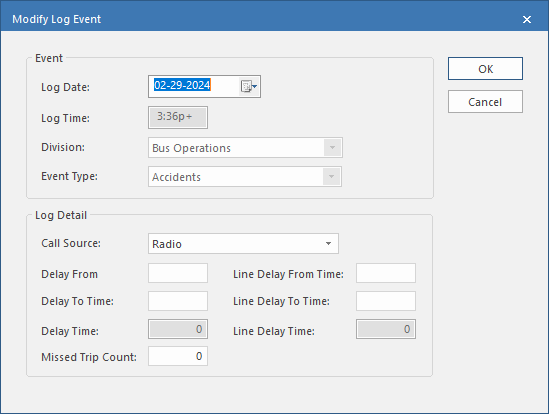
Change the Log Detail entries as
required:
-
Select a Call Source.
This is the method by which you were informed of the event. The property specifies the default source.
-
Enter the start and end of the vehicles delay in Delay From
Time and Delay To Time.
The delay time is calculated from these entries and that value is entered in the Delay Time field.
-
Enter the start and end of the line delay in the Line Delay From
Time and Line Delay To Time.
The Line Delay To Time can't be later than the Delay Time.The line delay time is calculated from these entries and that value is entered in the Line Delay Time field.
- In Missed Trip Count enter the number of trips the operator of the delayed vehicle missed.
- Select OK.