
Logging Accidents
Log entries that include subtype details can be created for accidents.
- Open the Dispatch Log screen and set the Context (F3).
- Create a log event with an Event Type of Accidents and select Next.
- The Date, Time, Division, and Incident Type fields are filled based on the information in the log event.
-
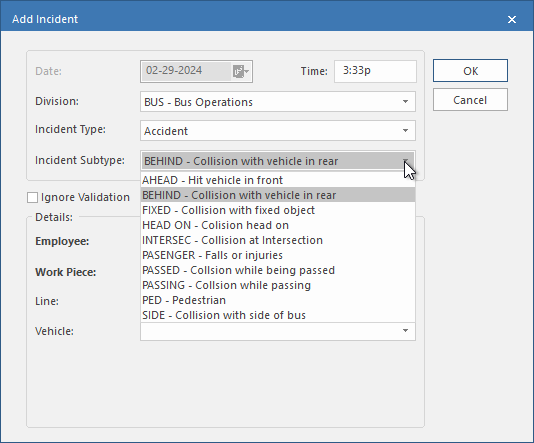
Select an Incident Subtype.
The Details section fields appear.
-
Select Ignore Validation to skip Trapeze OPS-level validation.
This option is only available if you have the permission granted. If you select this option, your entries won't be validated against OPS data. For example, you could enter a nonexistent work name.
- Find the Employee associated with the accident.
- Select the Work Piece associated with the accident.
- Optional: Select the Line associated with the accident.
- Optional: Select the Vehicle number associated with the accident.
- Select OK.