
Assigning Requirements to Multiple Blocks
Overlapping requirements can be added to multiple blocks at the same time.
- Open the OPS Block Requirements screen.
- Select Context (F3).
-
Complete the fields:
- Agency. Select an agency.
- Sign-Up Period. Select a sign-up period.
- Division. Select the divisions to include.
- From Date. Select the start date.
- To Date. Select the end date.
- Select OK.
-
Select Quick Add:
 The Add Requirement Tool dialog appears.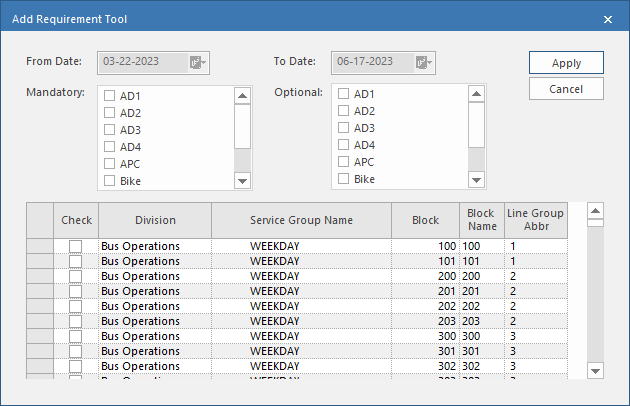
- Select the requirements to add in the Mandatory and Optional panes.
- Select the blocks to which to add the characteristics.
- Select Apply.