
Calculating Safe Driving Awards
Client Shell users can calculate safe driving award for eligible employees using the Safe Driving screen.
- In the Client Shell, open the Safe Driving screen.
-
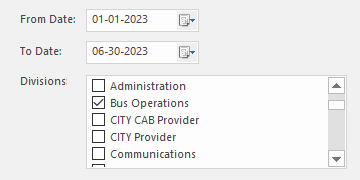
Enter the From Date and To
Date.
The system checks for employees whose eligibility date or last award date is within the date range.
-
Select the Divisions for which to calculate
awards.
-
Select Safe Driving Calculation:
 If a message appears stating you must set a system property to perform this task, contact a system administrator.