
About Identifying Incidents in Dispatch Manager
You can use the Runs tab and the Incidents tab to help identify incidents and act quickly to resolve them.
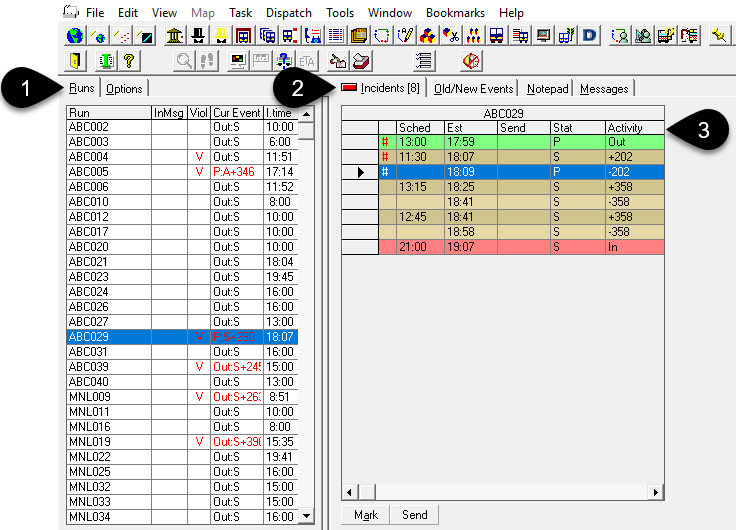
- 1
- The Runs tab shows information about violations and other details. Select a run to show a list of incidents.
- 2
- The Incidents tab shows the selected run’s events in a
grid.
If you are looking at another tab, you can use the Incidents tab label to quickly determine the number of events for the selected run. For example, Incidents (8) means that the run has 8 events in total, starting with the pull-out and ending with the pull-in.
- 3
- The grid provides additional details for each event, organized under columns. For example, scheduled times (Sched) and estimated times (Est).